Your photo. A party entrance.
Bby Wow AI Video Generator
Turn your photo into the Bby Wow AI party scene. One portrait, a confident entrance, and that close-up gesture.
- One photo
- 9 seconds
- 16:9 video

Character photo
The entrance. The gesture. The turn.
The Bby Wow AI effect has three distinct moments. Watch the preview before choosing a photo: the face should read clearly during the entrance, close-up, and turn.
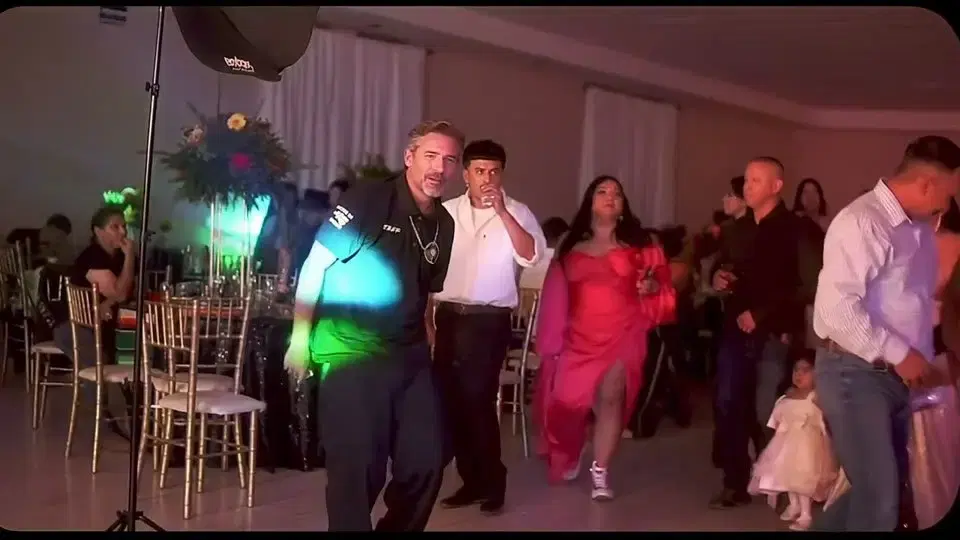 0:01
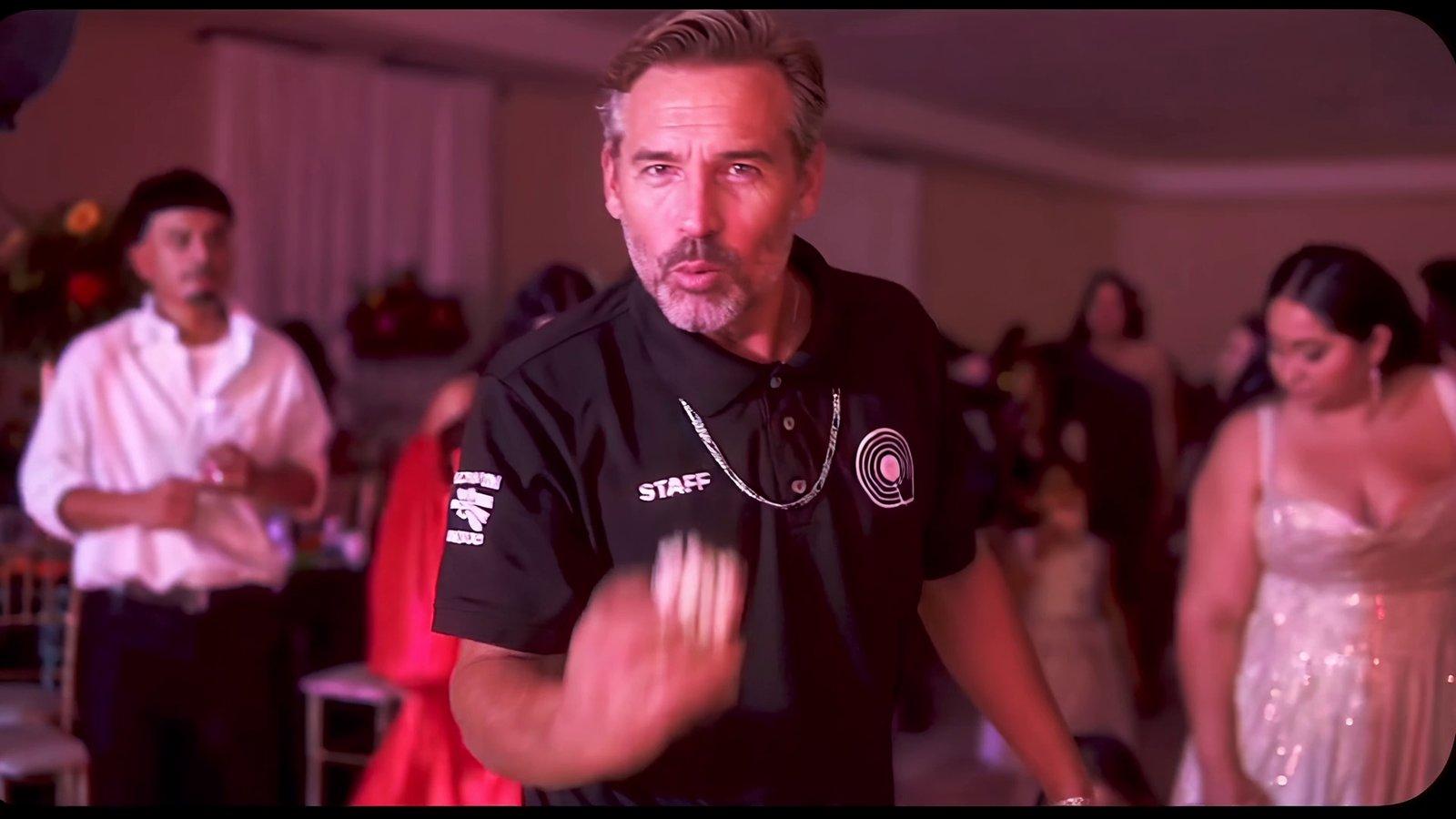
0:01The Bby Wow AI entrance brings your character toward the camera through a busy party. The movement starts before the close-up, with surrounding guests giving the scene its energy.
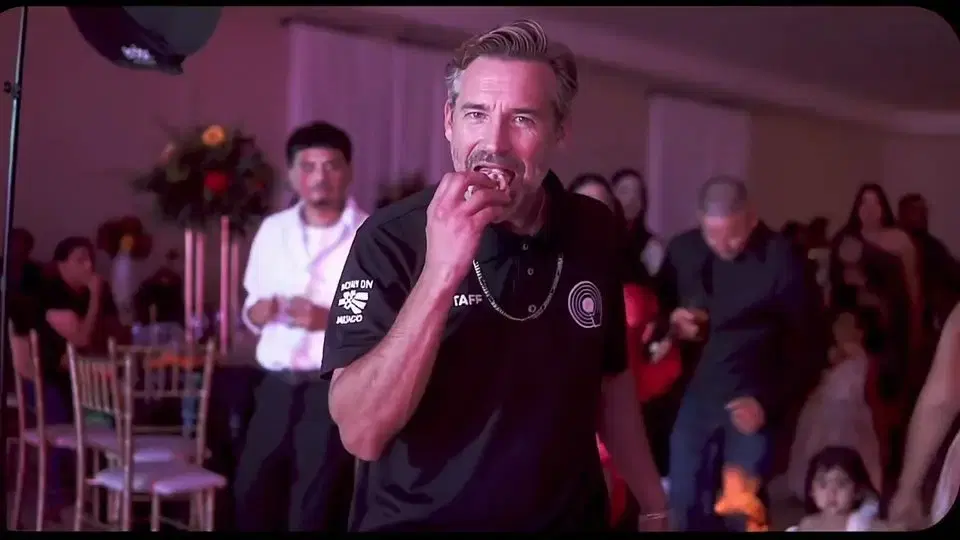 0:03
0:03The hand-to-mouth gesture is the focal point of Bby Wow AI. Check facial detail, expression, and the shape of the hand, rather than judging only the opening frame.
 0:07
0:07The Bby Wow AI scene finishes with a turn toward the crowd. Watch the ending before trimming: cutting too early can remove the final movement that completes the performance.
Character photo
Bby Wow AI scene
FROM PORTRAIT TO PARTY
Become the Bby Wow AI party character
Put a familiar face at the center of the Bby Wow AI scene. Your portrait guides the character while Celebratory Dance supplies the party performance.
- Start with one clear face. A solo portrait gives Bby Wow AI a focused reference, without several people competing for attention.
- Keep the details you recognize. Choose even lighting, visible eyes, and an uncovered mouth; leave a little room around the head.
- Expect a new setting and outfit. Bby Wow AI uses the photo for identity; the template brings the party scene, clothing, and movement.
A PERFORMANCE READY TO USE
The Bby Wow AI moves are already set
Make a Bby Wow AI video without filming a dance. Celebratory Dance includes the reference performance and prompt, giving your character a complete entrance, gesture, and turn.
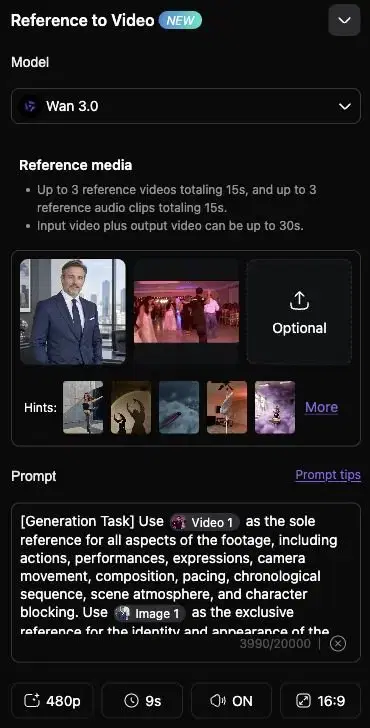
- Keep the reference video. It guides the Bby Wow AI timing, camera movement, and action so you can focus on choosing the person.
- Change the character photo. Replace the image reference while leaving the performance in place, then review the model and settings before generating.
- Watch the whole sequence. A useful Bby Wow AI take should hold together through the close-up and finish with the turn back to the guests.
Make your Bby Wow AI video in three steps
Open the template
Open Celebratory Dance to start your Bby Wow AI video. The reference clip and prompt are already prepared.
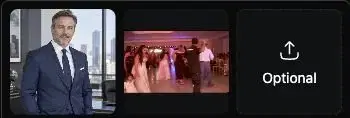
The character image supplies the person. The reference video supplies the performance, camera movement, and party scene.
Add your photo
Replace the character image with one clear portrait for Bby Wow AI. Choose a photo where the face is easy to recognize.
Replace the image input, keeping the reference video. A simple portrait makes it easier to compare faces afterward.
Generate and share
Check the settings and displayed credit cost, then generate your Bby Wow AI video. Play the result through once before downloading.
Review the face, gesture, and turn. Change one input at a time when retrying, so you can identify what helped.
Give your Bby Wow AI video room to move
Choose the framing after watching your Bby Wow AI result. The original scene includes the surrounding party; a tighter crop puts more attention on the character.
16:9 original
Keep the full party scene
Share the full Bby Wow AI frame when the entrance and background guests are part of the joke. The wider view keeps the movement easy to follow.
Save this version first. It gives you room to make a different edit later without losing the edges of the original video.
9:16 crop preview
Frame it for a vertical post
Crop your downloaded Bby Wow AI clip for a vertical post. Keep the face, hand, and shoulders visible throughout the movement, rather than centering only one frame.
Replay the entrance and ending after cropping. Leave captions away from the face so the expression and gesture stay readable.
A few things to know
What is the Bby Wow AI effect?
Bby Wow AI turns a portrait into a short party performance: the character approaches the camera, makes a close-up gesture, and turns back to the guests.
Collart uses Celebratory Dance for this Bby Wow AI scene. Watch the preview to see the performance before choosing your character photo.
Do I need to film a dance video?
No. The Bby Wow AI template includes the reference performance. Upload your character photo and keep the supplied video to follow the scene shown on this page.
No choreography or recording is needed. For another performance, explore more dance templates.
Will Bby Wow AI keep my outfit?
Not necessarily. Your photo guides facial identity, while the Bby Wow AI template guides motion, setting, and styling. The generated clothes may differ from the original portrait.
Compare the photo and close-up above. Review the output carefully if keeping a particular garment matters.
Is Bby Wow AI free to generate?
You can watch the preview on this page. Before creating your own Bby Wow AI video, check the editor for the current credit cost and any account requirements.
The displayed cost can change with your settings. Check it before each attempt.
Can I share Bby Wow AI vertically?
The Bby Wow AI template shown here uses a 16:9 frame. You can crop the downloaded result for a vertical post, but you will lose some of the surrounding party scene.
Preview the crop from start to finish. Leave room for the entrance, hand gesture, and final turn.
Your turn to make a Bby Wow AI entrance
Choose a portrait, open Celebratory Dance, and bring your character into the party. The Bby Wow AI preview above shows the performance to expect; your photo supplies the face.
Try another portrait for a new Bby Wow AI take. For different choreography or your own performance, explore more dance templates or open Reference to Video.