GPT Image 2 vs Nano Banana

GPT Image 2 vs Nano Banana

Compare GPT Image 2 vs Nano Banana for text rendering, product ads, editing workflows, cost, and Nano Banana 2 or Pro fit in Collart.

  • GPT Image 2 is the safer commercial default: Pick GPT Image 2 when your image needs readable text, product-ad polish, UI-style layout, or a direct Collart image-to-image editing workflow.
  • Nano Banana 2 is the fast Gemini-style draft option: Pick Nano Banana 2 when you need quick prompt exploration, everyday image generation, social drafts, or high-volume iteration.
  • Nano Banana Pro is for complex professional assets: Pick Nano Banana Pro when reference control, detailed creative direction, professional polish, and Gemini image workflows matter more than raw speed.
  • Choose GPT Image 2 for text-rich commercial images: GPT Image 2 is the strongest first stop when the job depends on product ads, ecommerce visuals, UI mockups, poster layouts, labels, and Collart editing.
  • Choose Nano Banana 2 for fast everyday generation: Nano Banana 2 is the better fit when speed, draft volume, and quick Gemini-style image exploration matter more than maximum polish.
  • Choose Nano Banana Pro for professional Gemini assets: Nano Banana Pro is the stronger Nano Banana choice when complex instructions, style references, polished assets, and professional production quality are the bottleneck.
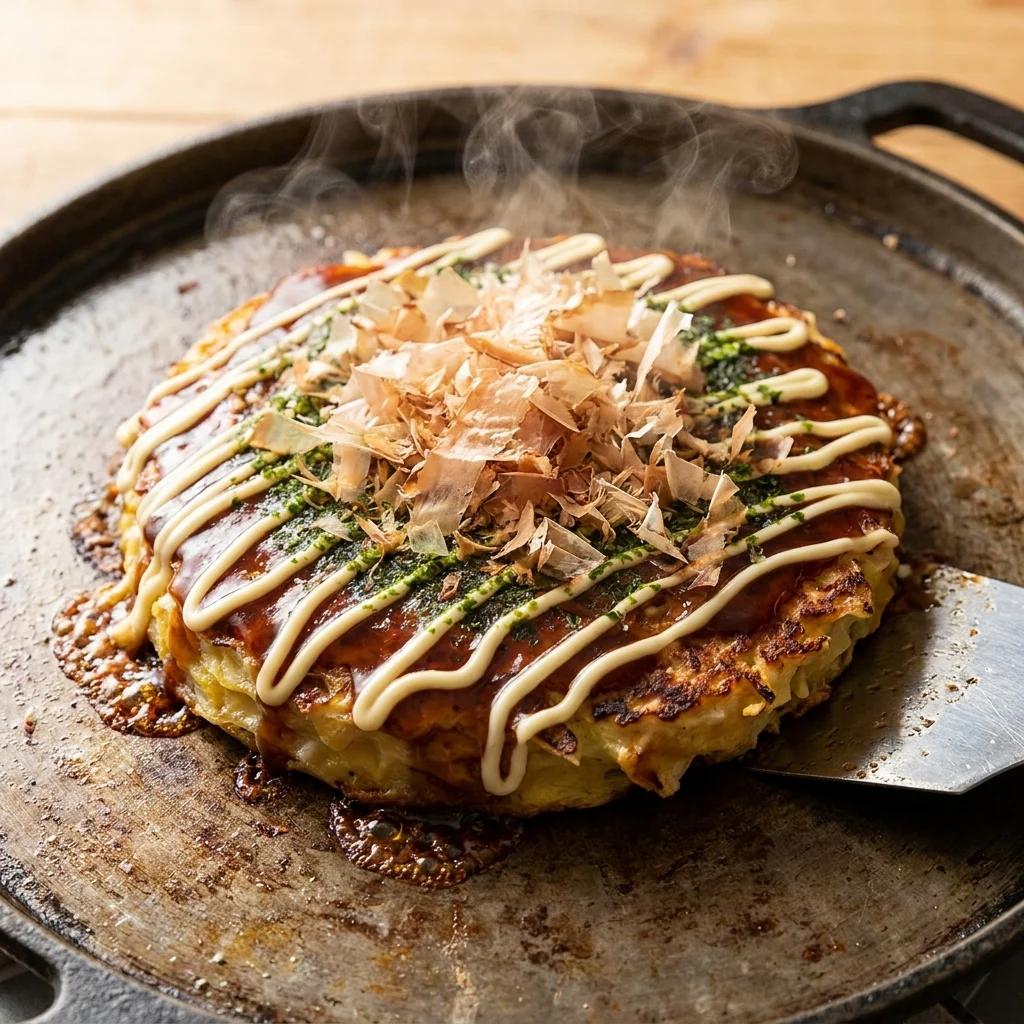
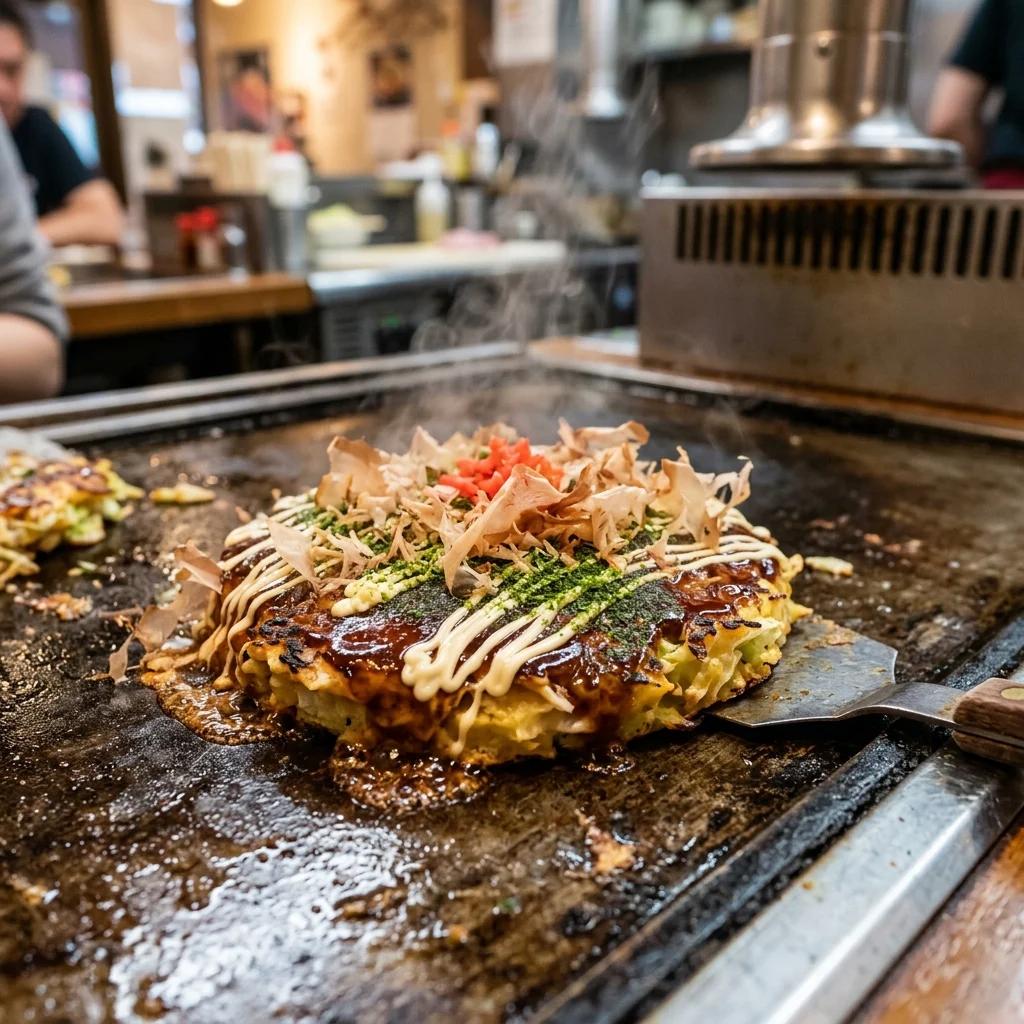
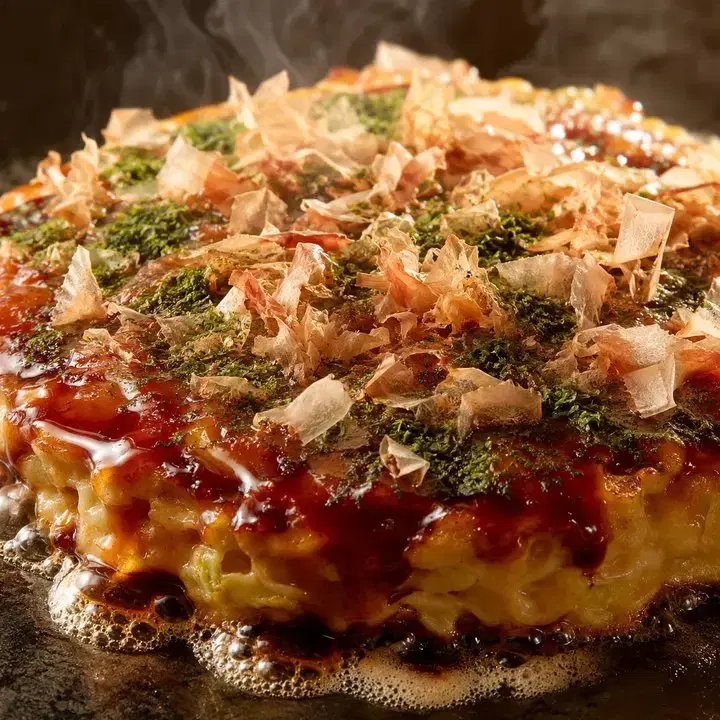
  • No hesitation, mayo forward: a 1:1 close-up of freshly made, piping-hot okonomiyaki on a teppan griddle
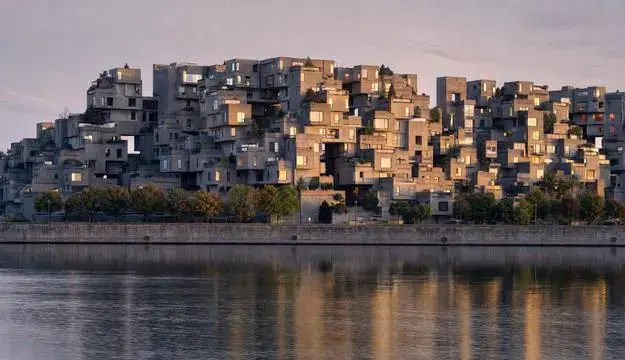
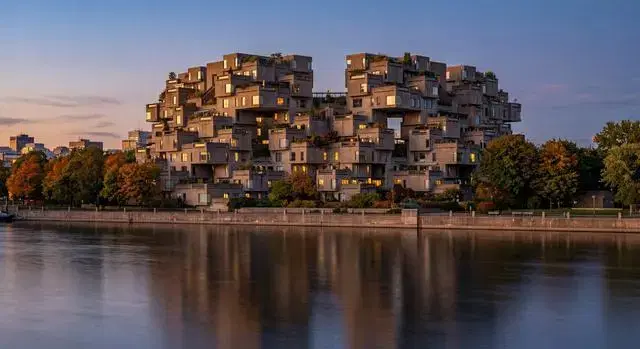
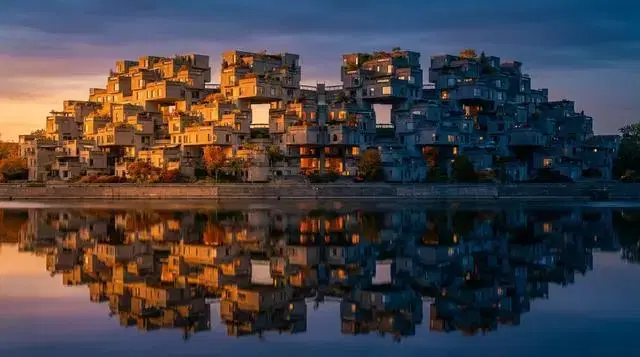
  • A photorealistic architectural photograph of Habitat 67 in Montreal, Canada, taken from across the Saint Lawrence River at dusk in late September. The modular concrete cuboid apartment units stack at irregular angles in their characteristic stepped configuration, with terraced rooftop gardens visible on the upper modules. Soft golden hour light catches the exposed concrete on the river-facing side, while the eastern face is in cool blue shadow. Some apartment windows are lit from inside with warm tungsten light. The river in the foreground is calm with the building reflected on the water surface. Shot on a 50mm lens, f/8, sharp focus throughout. No people, no boats, no obvious modern signage in the frame, just the building and the river.
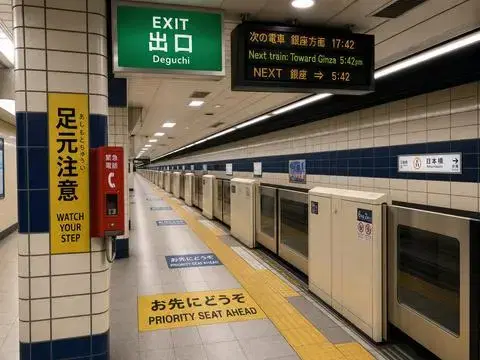
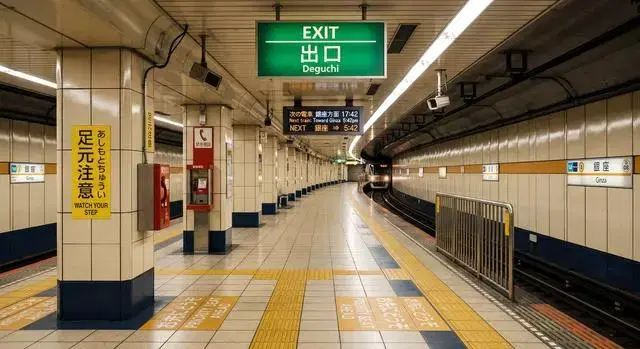
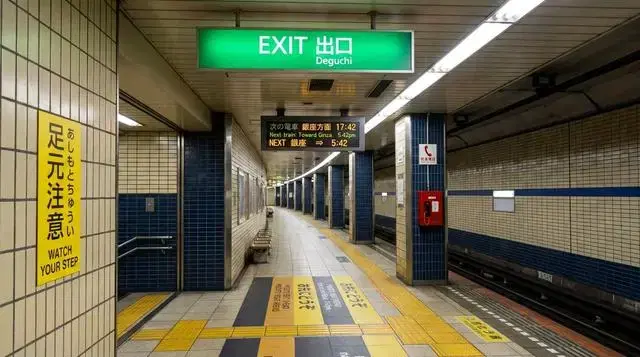
  • A photorealistic interior view of a Tokyo metro station platform during evening rush hour, looking down the platform from a wide-angle perspective. The exit sign overhead reads 'EXIT' in white sans-serif on green, with the kanji '出口' directly beneath in equal weight, and the romaji 'Deguchi' in smaller letters below that. To the left, a yellow caution panel reads '足元注意' in vertical kanji with the smaller hiragana 'あしもとちゅうい' to its right, and the English 'WATCH YOUR STEP' beneath both. A digital information board mounted on the ceiling cycles between three lines: '次の電車 銀座方面 17:42', 'Next train: Toward Ginza 5:42pm', and 'NEXT 銀座 ⇒ 5:42'. The platform floor has yellow tactile paving with English 'PRIORITY SEAT AHEAD' and Japanese 'お先にどうぞ' painted in alternating sections. Tiled walls in cream and dark blue, fluorescent lighting, a single red emergency phone box mounted on a column with the kanji '緊急電話' above it. No people in the frame. Sharp typography, all text legible at standard zoom, characters proportionally accurate.
AI image model comparison

GPT Image 2 vs Nano Banana

Compare GPT Image 2 vs Nano Banana for text rendering, product ads, editing workflows, cost, and Nano Banana 2 or Pro fit in Collart.

Experience Now

Output comparison

Prompt

No hesitation, mayo forward: a 1:1 close-up of freshly made, piping-hot okonomiyaki on a teppan griddle

GPT Image 2
Nano Banana 2
Nano Banana Pro
Prompt

A photorealistic architectural photograph of Habitat 67 in Montreal, Canada, taken from across the Saint Lawrence River at dusk in late September. The modular concrete cuboid apartment units stack at irregular angles in their characteristic stepped configuration, with terraced rooftop gardens visible on the upper modules. Soft golden hour light catches the exposed concrete on the river-facing side, while the eastern face is in cool blue shadow. Some apartment windows are lit from inside with warm tungsten light. The river in the foreground is calm with the building reflected on the water surface. Shot on a 50mm lens, f/8, sharp focus throughout. No people, no boats, no obvious modern signage in the frame, just the building and the river.

GPT Image 2
Nano Banana 2
Nano Banana Pro
Prompt

A photorealistic interior view of a Tokyo metro station platform during evening rush hour, looking down the platform from a wide-angle perspective. The exit sign overhead reads 'EXIT' in white sans-serif on green, with the kanji '出口' directly beneath in equal weight, and the romaji 'Deguchi' in smaller letters below that. To the left, a yellow caution panel reads '足元注意' in vertical kanji with the smaller hiragana 'あしもとちゅうい' to its right, and the English 'WATCH YOUR STEP' beneath both. A digital information board mounted on the ceiling cycles between three lines: '次の電車 銀座方面 17:42', 'Next train: Toward Ginza 5:42pm', and 'NEXT 銀座 ⇒ 5:42'. The platform floor has yellow tactile paving with English 'PRIORITY SEAT AHEAD' and Japanese 'お先にどうぞ' painted in alternating sections. Tiled walls in cream and dark blue, fluorescent lighting, a single red emergency phone box mounted on a column with the kanji '緊急電話' above it. No people in the frame. Sharp typography, all text legible at standard zoom, characters proportionally accurate.

GPT Image 2
Nano Banana 2
Nano Banana Pro

GPT Image 2 vs Nano Banana: quick answer

Use this comparison to choose the right image model before you generate, edit, or refine commercial visuals in Collart.

GPT Image 2 is the safer commercial default

Pick GPT Image 2 when your image needs readable text, product-ad polish, UI-style layout, or a direct Collart image-to-image editing workflow.

Nano Banana 2 is the fast Gemini-style draft option

Pick Nano Banana 2 when you need quick prompt exploration, everyday image generation, social drafts, or high-volume iteration.

Nano Banana Pro is for complex professional assets

Pick Nano Banana Pro when reference control, detailed creative direction, professional polish, and Gemini image workflows matter more than raw speed.

Which one should you choose?

Here is the short decision path based on official positioning and the comparison questions people ask around GPT Image 2 vs Nano Banana.

GPT Image 2

Choose GPT Image 2 for text-rich commercial images

Best for product shots, static ads, labels, UI mockups, and polished marketing stills.

GPT Image 2 is the strongest first stop when the job depends on product ads, ecommerce visuals, UI mockups, poster layouts, labels, and Collart editing.

  • Strong fit for typography, layout, and commercial still-image composition
  • Direct Collart image-to-image path for editing and refining existing visuals
  • Balanced credit cost for commercial image workflows in Collart

For complex Gemini-style references or professional Google image workflows, compare the same prompt against Nano Banana Pro before final delivery.

Nano Banana 2

Choose Nano Banana 2 for fast everyday generation

Best for fast drafts, prompt testing, social images, and broad high-volume iteration.

Nano Banana 2 is the better fit when speed, draft volume, and quick Gemini-style image exploration matter more than maximum polish.

  • Fast first-pass output for everyday image generation
  • Useful when you want many prompt variations before choosing a final direction
  • Good match for speed-sensitive workflows where a polished final asset is not required yet

For text-heavy commercial layouts, product labels, or high-detail reference control, test GPT Image 2 or Nano Banana Pro before committing.

Nano Banana Pro

Choose Nano Banana Pro for professional Gemini assets

Best for brand visuals, staged product scenes, infographics, posters, and detailed creative direction.

Nano Banana Pro is the stronger Nano Banana choice when complex instructions, style references, polished assets, and professional production quality are the bottleneck.

  • Better Nano Banana option for complex reference-heavy prompts
  • Stronger fit for polished commercial assets and professional presentation work
  • Useful when control and finish matter more than speed or lower credit cost

It can be more than you need for fast drafts or simple social images, and usually costs more credits.

Verdict: start with GPT Image 2 for text-rich commercial visuals and Collart editing. Use Nano Banana 2 for fast drafts, and move to Nano Banana Pro when complex references or professional Gemini output matter more than speed or credits.

GPT Image 2 vs Nano Banana comparison matrix

A side-by-side view of the practical differences that matter when choosing between GPT Image 2, Nano Banana 2, and Nano Banana Pro.

Dimension
GPT Image 2
Nano Banana 2
Nano Banana Pro
Official positioning
OpenAI image model used through GPT Image workflows and Collart image creation tools.
Gemini 3.1 Flash Image counterpart focused on speed and high-volume use.
Gemini 3 Pro Image model positioned for professional asset production.
Everyday generation
Good when everyday output still needs commercial layout, readable text, or product polish.
Best fit for quick drafts, common prompts, and fast iteration loops.
More capable for polish, but usually more than simple daily generation needs.
Commercial asset quality
Strong first choice for marketing stills, product ads, UI concepts, and ecommerce visuals.
Useful for broad concepting and early creative exploration.
Better fit for polished brand visuals, staged scenes, and client-facing assets.
Product shots and static ads
Strong when layout, label text, product clarity, and ad copy matter.
Good for quick product concepts and draft variations.
Strong for complex staged product scenes and reference-heavy art direction.
Text rendering
Strong fit for posters, labels, UI mockups, and commercial graphics that need readable text.
Useful for fast text-heavy drafts when iteration speed matters.
Strong for posters, infographics, packaging, and polished marketing assets.
Reference and editing workflow
Direct Collart image-to-image workflow for editing and refining commercial stills.
Good for fast text-and-image generation or editing.
Better fit for high-fidelity reference and style-controlled outputs.
Speed and high-volume use
Balanced in Collart; queue, image settings, and prompt complexity still matter.
The better Nano Banana fit when fast iteration and high-volume generation are priorities.
Choose it when output quality matters more than raw iteration speed.
Resolution and output control
Flexible quality and resolution controls for detailed prompt-to-image and image-editing workflows.
512px, 1K, 2K, and 4K output options for fast Gemini-style image generation.
1K, 2K, and 4K output options for polished professional image assets.
Best workflow
Marketing stills, product images, UI mockups, labels, static ads, and image edits.
Drafting, prompt exploration, quick social images, and everyday Gemini-style output.
Polished brand visuals, detailed art direction, complex references, and professional production.

GPT Image 2 vs Nano Banana FAQ

Create commercial AI images in Collart

Start with GPT Image 2 for product shots, text-heavy visuals, static ads, and image-to-image editing, then switch models when your prompt needs faster drafts or deeper reference control.

Experience Now