Generator ng AI Video na Wan 2.7

Generator ng AI Video na Wan 2.7

Ginagawang cinematic videos ng Wan AI Video 2.7 ang text, images, at reference clips na may smooth motion, first-and-last-frame control, video continuation, 1080p output, at guided creative workflows.

  • Paglikha ng Text-to-Video: Direktang gumawa ng cinematic clips mula sa scene, motion, at camera prompts.
  • Animation ng Image-to-Video: Gawing gumagalaw na clip ang still image na may natural na motion at continuity.
  • First at Last Frame Control: I-lock ang opening at ending frames para gabayan ang transitions at transformations.
  • Pagpapatuloy ng Video: Pahabain ang kasalukuyang clip habang pinananatiling aligned ang motion, style, at direction.
  • Kalidad ng 1080p na Galaw: Gumawa ng HD video na may mas smooth na motion, mas malinis na detalye, at stable na pacing.
  • Mga Social Creator: Gumawa ng short videos, reels, story posts, at scroll-stopping visual clips.
  • Paglikha ng Text-to-Video: Tinutulungan ng Wan AI Video 2.7 ang creators na gawing short cinematic clips ang mga nakasulat na ideya. Ilarawan ang subject, action, camera movement, lighting, at mood, pagkatapos ay gumawa ng video na mukhang dinirek at hindi basta random na pinagsama-sama. Pinapagana ng Wan AI Video 2.7.
  • Animation ng Image-to-Video: Mag-upload ng still image at ilarawan kung paano ito dapat gumalaw. Kayang i-animate ng Wan AI Video 2.7 ang portraits, products, characters, environments, at concept art habang pinapanatili ang original visual direction.
  • First at End Frame Control: Gamitin ang first-and-last-frame control kapag mahalaga ang simula at wakas. Kapaki-pakinabang ito sa product reveals, character transformations, match cuts, before-and-after shots, at storyboard-based video production.
  • Pagpapatuloy ng Video: Kayang ituloy ng Wan AI Video 2.7 ang kasalukuyang clip para mapahaba ng creators ang scene nang hindi nagsisimula muli. Kapaki-pakinabang ito para sa mas mahabang storytelling, social clips, ad variations, at sequential content.
  1. Piliin ang Model: Pumunta sa Collart AI video generator at piliin ang Wan AI Video sa model dropdown menu.
  2. Ilagay ang mga Detalye: Ilarawan ang scene, motion, camera, at references na gusto mong gamitin sa video mo.
  3. Gawin ang Iyong Video: I-click ang Generate, i-preview ang resulta, pagkatapos ay i-refine o i-download ang final video mo.
Pinapagana ng Wan AI Video 2.7

Generator ng AI Video na Wan 2.7

Ginagawang cinematic videos ng Wan AI Video 2.7 ang text, images, at reference clips na may smooth motion, first-and-last-frame control, video continuation, 1080p output, at guided creative workflows.

Subukan Ngayon

Bakit Naiiba ang Wan AI Video

01 / Text patungong Video

Paglikha ng Text-to-Video

Direktang gumawa ng cinematic clips mula sa scene, motion, at camera prompts.

02 / Image patungong Video

Animation ng Image-to-Video

Gawing gumagalaw na clip ang still image na may natural na motion at continuity.

03 / Control sa Frame

First at Last Frame Control

I-lock ang opening at ending frames para gabayan ang transitions at transformations.

04 / Pagpapatuloy

Pagpapatuloy ng Video

Pahabain ang kasalukuyang clip habang pinananatiling aligned ang motion, style, at direction.

05 / HD na Galaw

Kalidad ng 1080p na Galaw

Gumawa ng HD video na may mas smooth na motion, mas malinis na detalye, at stable na pacing.

Paglikha ng Text-to-Video

Tinutulungan ng Wan AI Video 2.7 ang creators na gawing short cinematic clips ang mga nakasulat na ideya. Ilarawan ang subject, action, camera movement, lighting, at mood, pagkatapos ay gumawa ng video na mukhang dinirek at hindi basta random na pinagsama-sama. Pinapagana ng Wan AI Video 2.7.

Prompt

Nakatayo nang tahimik ang white dragon warrior, puno ng determinasyon at lakas ang mga mata. Mabagal na lumalapit ang camera o umiikot sa warrior para bigyang-diin ang makapangyarihang presensya at heroic spirit ng character.

Output na Video
Prompt

Nakakatawa pero premium na mini-trailer: isang maliit na fox 3D director ang nagpapakita ng 'multi-scene' sa pagtawag ng simpleng commands na agad nagpapalit sa set. Extreme photoreal 4K, cinematic lighting, subtle film grain, smooth camera. Walang subtitles, UI, o watermark. Shot 1 [0-3s] Macro close-up ng fox habang pinapalo ang clapboard na may label na 'fal'. Sabi ng fox: 'Action.' Shot 2 [3-6s] Hard cut: Wild West street sa sunset. Wide shot, may alikabok sa hangin. Itinuturo ng Fox ang unahan: 'Make it wide.' Shot 3 [6-10s] Hard cut: jungle river. Nakatayo ang fox sa maliit na bangka. Tinutulak pasulong ang camera sa pagitan ng vines at mist. Sabi ng fox: 'Now… adventure.' Shot 4 [10-15s] Hard cut: space station window. Mabagal na orbit sa paligid ng fox habang may stars sa labas. Tumango ang fox: 'Done. Next movie.'

Output na Video

Animation ng Image-to-Video

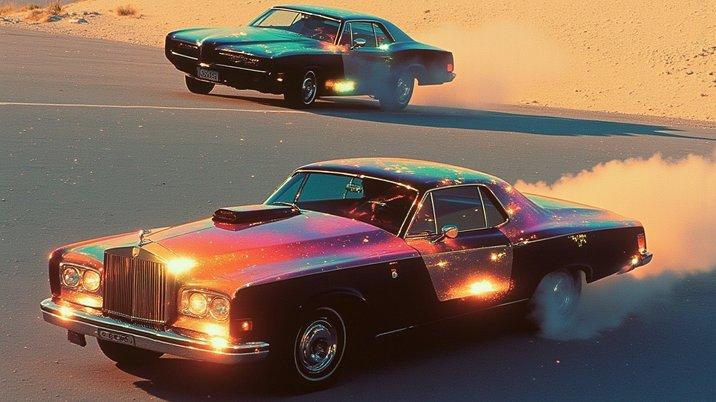
Mag-upload ng still image at ilarawan kung paano ito dapat gumalaw. Kayang i-animate ng Wan AI Video 2.7 ang portraits, products, characters, environments, at concept art habang pinapanatili ang original visual direction.

Reference na Image
Prompt

Mga kotseng nagkakarera sa slow motion

Output na Video

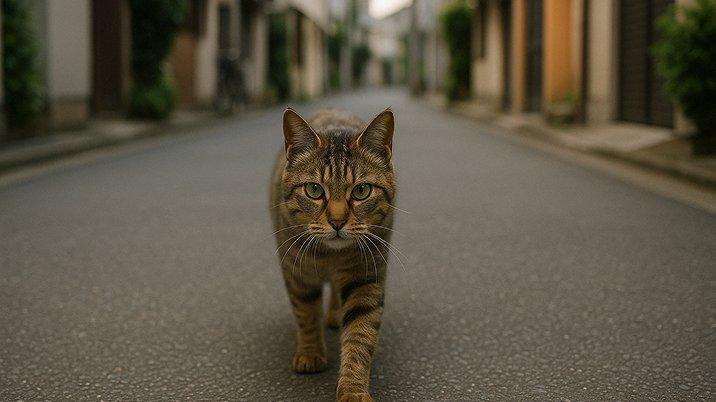
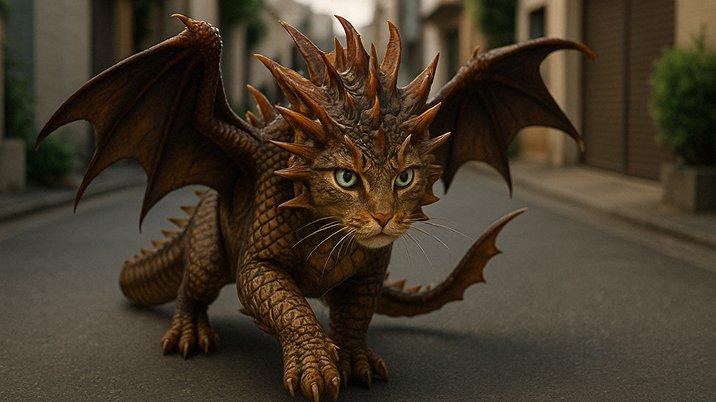
First at End Frame Control

Gamitin ang first-and-last-frame control kapag mahalaga ang simula at wakas. Kapaki-pakinabang ito sa product reveals, character transformations, match cuts, before-and-after shots, at storyboard-based video production.

Unang Frame
Huling Frame
Output na Video

Pagpapatuloy ng Video

Pagpapatuloy ng Video

Kayang ituloy ng Wan AI Video 2.7 ang kasalukuyang clip para mapahaba ng creators ang scene nang hindi nagsisimula muli. Kapaki-pakinabang ito para sa mas mahabang storytelling, social clips, ad variations, at sequential content.

Prompt

Shot 1 [0-4s] Magpatuloy mula sa unang frame. Pinindot ng creator ang 'PRINT'. Kumalabog ang machine na parang spaceship. Bulong ng creator: 'Okay… I'm pressing enter.' Shot 2 [4-8s] Smash cut: lumipad sa hangin ang printed paper at nabuksan bilang buong desert canyon scene sa paligid ng desk, na parang inilalatag ang reality. Sabi ng creator: 'Wait—my prompt has physics?' Shot 3 [8-12s] Hard cut: napunit ang papel at nagbukas sa tropical jungle sa likuran, perpektong maliwanag at may cinematic sun. Tumawa ang creator: 'This is exactly why we do AI.' Shot 4 [12-15s] Hard cut pabalik sa studio. Nag-print ang printer ng final line na hindi malinaw na ipinakita. Tumingin sa camera ang creator: 'Multi-scene. Single prompt.'

Output na Video

Paghahambing

Wan AI Video 2.7 vs. Seedance 2.0 vs. Google Veo

Aspeto
Wan AI Video 2.7
Seedance 2.0
Google Veo
Pokus ng Model
Controllable video creation mula sa text, images, references, at kasalukuyang clips.
Multimodal video generation para sa dynamic motion at creator-style clips.
Cinematic video generation na may mahusay na realism, prompt adherence, at native audio.
Workflow ng Input
Supported ang text-to-video, image-to-video, first/last frames, references, at continuation.
Pinagsasama ang text, images, video, at audio references para sa mas mahusay na generation control.
Supported ang text-to-video at image-to-video depende sa product at API mode.
Control sa Galaw
Mahusay para sa planned motion, transitions, at guided start-to-end video structure.
Mahusay na dynamic motion, camera movement, at multi-shot visual rhythm.
Mahusay na realism, natural lighting, physics, at cinematic camera behavior.
Continuity ng Eksena
Pinahahaba ang clips at pinananatiling aligned ang visual direction sa reference-based workflows.
Dinisenyo para sa multi-shot storytelling at character consistency sa iba't ibang scene.
Mahusay na short-scene coherence na may polished cinematic atmosphere.
Pinakamainam na Gamit
Storyboards, product motion, reference-led videos, at controlled creative iteration.
Social clips, creator videos, dynamic scenes, at mabilis na multimodal production.
High-fidelity cinematic clips, ads, narrative moments, at realistic video concepts.

Target Audience at Creative Applications ng Wan AI Video

Kapaki-pakinabang ang Wan AI Video 2.7 para sa creators, brands, at production teams na nangangailangan ng controllable video generation mula sa text, images, references, at kasalukuyang clips.

01

Mga Social Creator

Gumawa ng short videos, reels, story posts, at scroll-stopping visual clips.

ReelsShortsStorytellingGalaw ng Camera

02

Mga Marketing Team

Gumawa ng product promos, campaign videos, ad concepts, at launch teasers.

PromosAdsCampaignsTeasers

03

Mga E-commerce Brand

I-animate ang product images bilang lifestyle videos at selling scenes.

ProductLifestyleSellingScenes

04

Mga Filmmaker

Tuklasin ang shots, transitions, storyboard motion, at cinematic scene ideas.

ShotsTransitions

05

Mga Game Creator

Gumawa ng character motion, environment previews, trailers, at concept clips.

CharactersTrailersWorldsConcepts

Paano Gamitin ang Wan AI Video sa Collart

Step 1

Piliin ang Model

Pumunta sa Collart AI video generator at piliin ang Wan AI Video sa model dropdown menu.

Step 2

Ilagay ang mga Detalye

Ilarawan ang scene, motion, camera, at references na gusto mong gamitin sa video mo.

Step 3

Gawin ang Iyong Video

I-click ang Generate, i-preview ang resulta, pagkatapos ay i-refine o i-download ang final video mo.

Mga Madalas Itanong

Gumawa ng Cinematic Videos gamit ang Wan AI

Subukan Ngayon