Generator ng AI Image na Seedream 5.0 Lite

Generator ng AI Image na Seedream 5.0 Lite

Tumutulong ang Seedream 5.0 Lite AI Image Generator na gumawa at mag-edit ng high-fidelity visuals na may mahusay na reference consistency, multi-image control, pinahusay na typography, at maaasahang layouts para sa professional creative workflows.

  • High-Fidelity na Consistency ng Reference: Pinananatili ang faces, lighting, colors, at details sa reference-based edits.
  • Designer-Level Typography at Composition: Gumagawa ng mas malinis na typography, balanseng layout, at structured poster compositions.
  • Tumpak na Multi-Image Editing: Supported ang multi-image editing na may subject matching at cohesive integration.
  • High-Fidelity na Consistency ng Reference: Pinananatili ng Seedream 4.5 ang facial features, lighting, color tone, clothing details, at visual identity mula sa references, kaya mas consistent ang edited images para sa character, product, at commercial creative workflows.
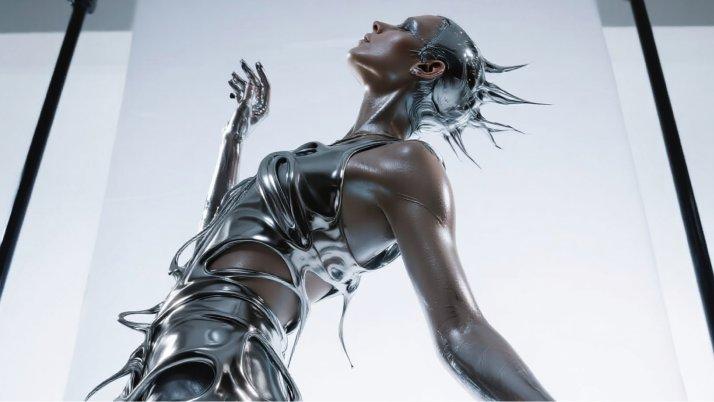
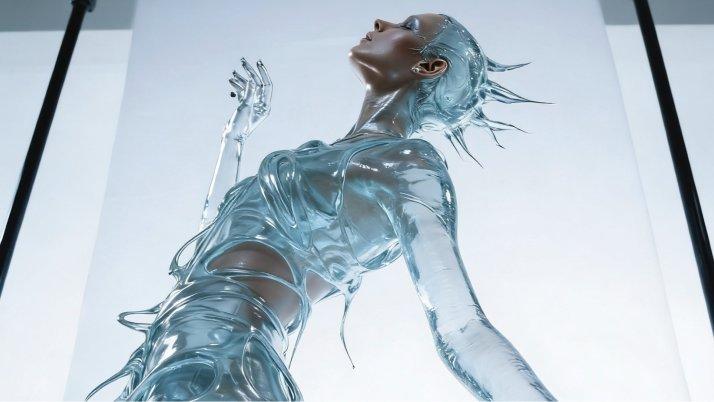
  • Panatilihin ang pose ng model at dumadaloy na hugis ng liquid dress. Palitan ang clothing material mula silver metal tungo sa ganap na transparent clear water o glass. Dapat makita ang detalye ng balat ng model sa liquid water. Palitan ang lighting method mula reflection tungo sa refraction.
  • Designer-Level Typography at Composition: Pinapahusay ng Seedream ang typography at layout generation para sa posters, branded graphics, ads, at creative assets, kaya mas malinaw ang text placement, balanseng hierarchy, at polished compositions.
  • Tumpak na Multi-Image Editing: Supported ng Seedream ang multi-image editing sa pagtukoy ng target elements, pagpapanatili ng subject consistency, at pagsasama ng maraming references sa cohesive results para sa flexible creative production.
  1. Piliin ang Model: Pumunta sa Collart AI image generator at piliin ang Seedream sa model dropdown menu.
  2. Ilagay ang mga Detalye: Ilarawan ang image na gusto mong gawin at i-configure ang customization settings mo.
  3. Gawin ang Iyong Image: I-click ang 'Generate' at maghintay lang ng ilang segundo para ma-download ang image mo.
Seedream 4.5 / 5.0 Lite model sa Collart AI

Generator ng AI Image na Seedream 5.0 Lite

Tumutulong ang Seedream 5.0 Lite AI Image Generator na gumawa at mag-edit ng high-fidelity visuals na may mahusay na reference consistency, multi-image control, pinahusay na typography, at maaasahang layouts para sa professional creative workflows.

Subukan Ngayon

Bakit Naiiba ang Seedream

01 / Reference • Consistency

High-Fidelity na Consistency ng Reference

Pinananatili ang faces, lighting, colors, at details sa reference-based edits.

02 / Typography • Layout

Designer-Level Typography at Composition

Gumagawa ng mas malinis na typography, balanseng layout, at structured poster compositions.

03 / Pag-edit • Maraming Image

Tumpak na Multi-Image Editing

Supported ang multi-image editing na may subject matching at cohesive integration.

High-Fidelity na Consistency ng Reference

Pinananatili ng Seedream 4.5 ang facial features, lighting, color tone, clothing details, at visual identity mula sa references, kaya mas consistent ang edited images para sa character, product, at commercial creative workflows.

Reference na Image
Prompt

Palitan ang salita sa red highlighted area ng blue italicized text.

Output na Image
Reference na Image
Prompt

Panatilihin ang pose ng model at dumadaloy na hugis ng liquid dress. Palitan ang clothing material mula silver metal tungo sa ganap na transparent clear water o glass. Dapat makita ang detalye ng balat ng model sa liquid water. Palitan ang lighting method mula reflection tungo sa refraction.

Output na Image

Designer-Level Typography at Composition

Pinapahusay ng Seedream ang typography at layout generation para sa posters, branded graphics, ads, at creative assets, kaya mas malinaw ang text placement, balanseng hierarchy, at polished compositions.


Tumpak na Multi-Image Editing

Supported ng Seedream ang multi-image editing sa pagtukoy ng target elements, pagpapanatili ng subject consistency, at pagsasama ng maraming references sa cohesive results para sa flexible creative production.

Reference na Image
Prompt

Gumawa ng 4 na magkahiwalay na image para sa soccer, volleyball, golf, at tennis gamit ang mga ideya sa input image bilang reference.

Output na Image
Reference na Image
Prompt

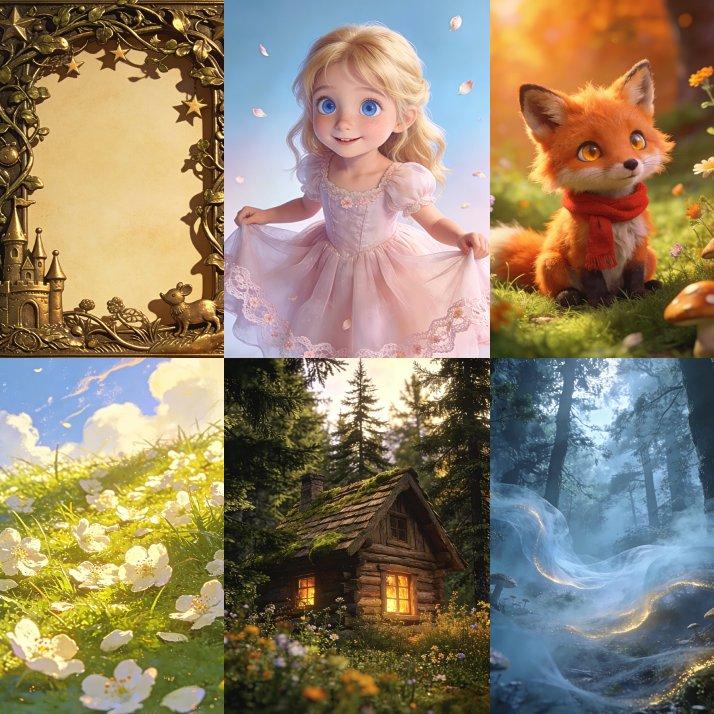
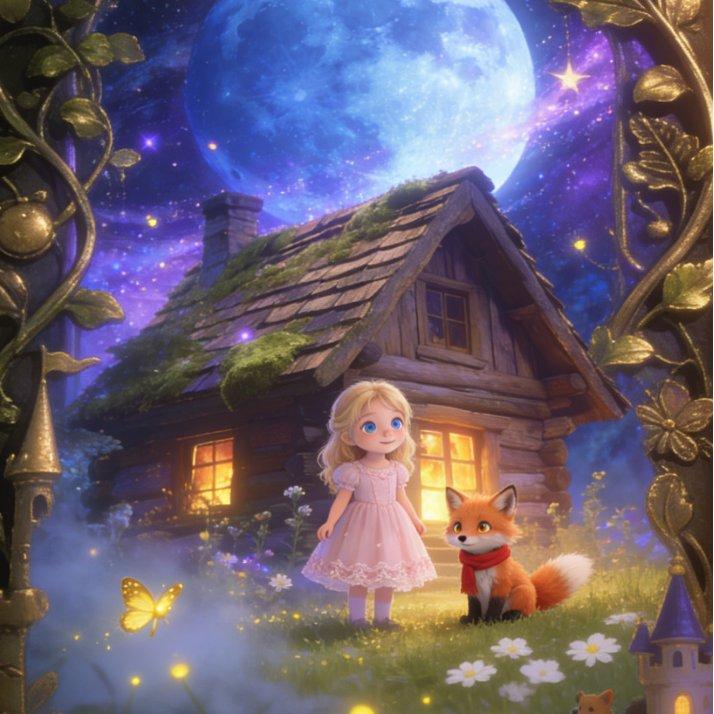
Fairytale picture book cover: isang batang babae at maliit na fox ang nakatayo sa harap ng kumikislap na forest cabin. Malaki, bilog, at parang panaginip ang buwan, at lumulutang ang stardust sa paligid nila; nililiwanagan ng fireflies ang meadow; may maliliit na puting bulaklak na may maselang lambot; lumilikha ang mist ng hazy depth; at napapalibutan ng magandang bronze fairytale border ang buong image. Magkakontra ang blues at purples sa warm golds. Consistent sa original image ang facial features ng characters. Dreamy, gentle, at puno ng magic ang overall style, perpekto para sa children's picture book covers.

Output na Image

Performance ng Model

Kumpara sa Seedream 4.0, pinapahusay ng Seedream 4.5 ang reference fidelity, prompt following, typography, at aesthetics, habang nakatuon ang 5.0 Lite sa mas malalim na understanding at reasoning.

Aspeto
Seedream 4.5
Seedream 5.0 Lite
Resolution
Hanggang 4K
Mga output na optimized para sa 3K/4K
Logic
Reference fidelity at editing control
Pag-unawa sa instruction na ginagabayan ng reasoning
Typography
Pinahusay na dense text rendering
Pinahusay na bilingual text rendering
Style
Consistent na high-fidelity creative styles
Mas malawak na style at layout control

Paano Gamitin ang Seedream sa Collart

Step 1

Piliin ang Model

Pumunta sa Collart AI image generator at piliin ang Seedream sa model dropdown menu.

Step 2

Ilagay ang mga Detalye

Ilarawan ang image na gusto mong gawin at i-configure ang customization settings mo.

Step 3

Gawin ang Iyong Image

I-click ang 'Generate' at maghintay lang ng ilang segundo para ma-download ang image mo.

Mga Madalas Itanong

Gawing Kamangha-manghang Visuals ang Iyong mga Ideya

Subukan Ngayon