GPT Image 2.0 AI Image Generator | Design-Grade Image Workflows sa Collart

ChatGPT Images 2.0 AI Image Generator

Gumagawa ang ChatGPT Images 2.0 ng OpenAI ng high-quality visuals na may mas mahusay na typography, detalyadong rendering, at maaasahang prompt following. Mula posters hanggang product shots, mabilis na gumawa ng polished images.

  • Mahusay na Typography at Layout Control: Gumagawa ng posters, labels, at UI mockups na may malinaw na text at balanseng visual layouts.
  • Mataas na Kalidad na Biswal na Pagbuo: Gumagawa ng detalyadong visuals na may realistic lighting, matalas na structure, at polished color.
  • Mahusay na Prompt Understanding: Sinusunod ang detalyadong prompts para sa subjects, style, camera, lighting, at scene details.
  • Image Editing at Iteration: Supported ang local edits, object changes, at refinements na may natural-looking results.
  • Flexible na Pagbuo sa Maraming Estilo: Umaangkop sa photo, anime, illustration, concept art, product, at brand visuals.
  • Marketing Teams at Brand Studios: Gumawa ng campaign visuals, social ads, banners, at posters na may polished at brand-ready layouts.
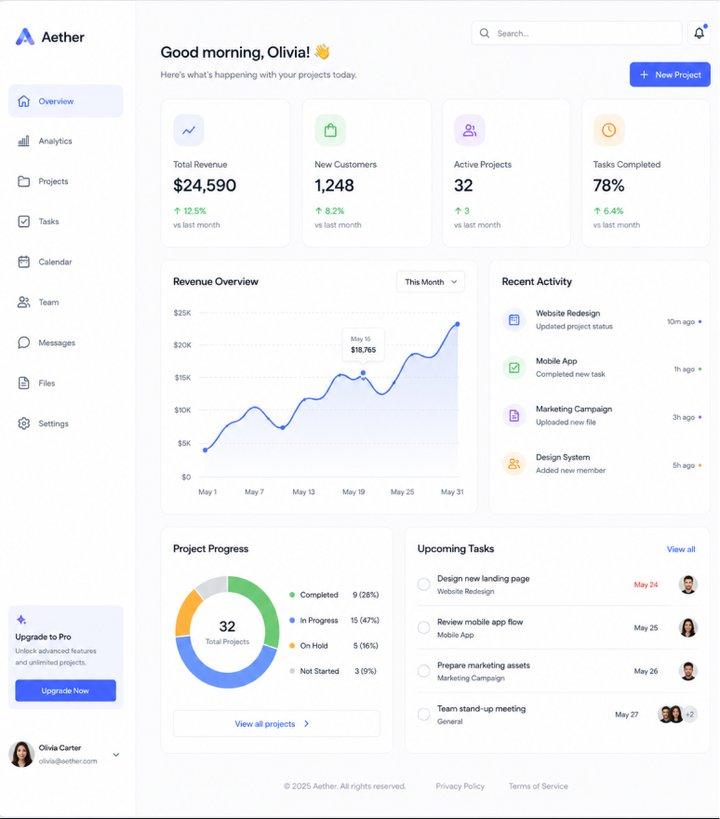
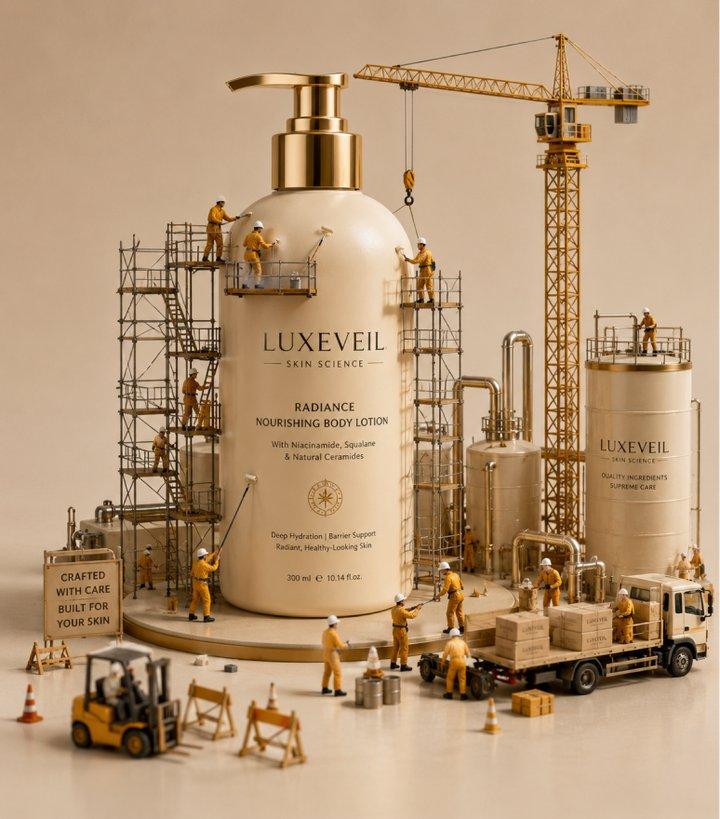
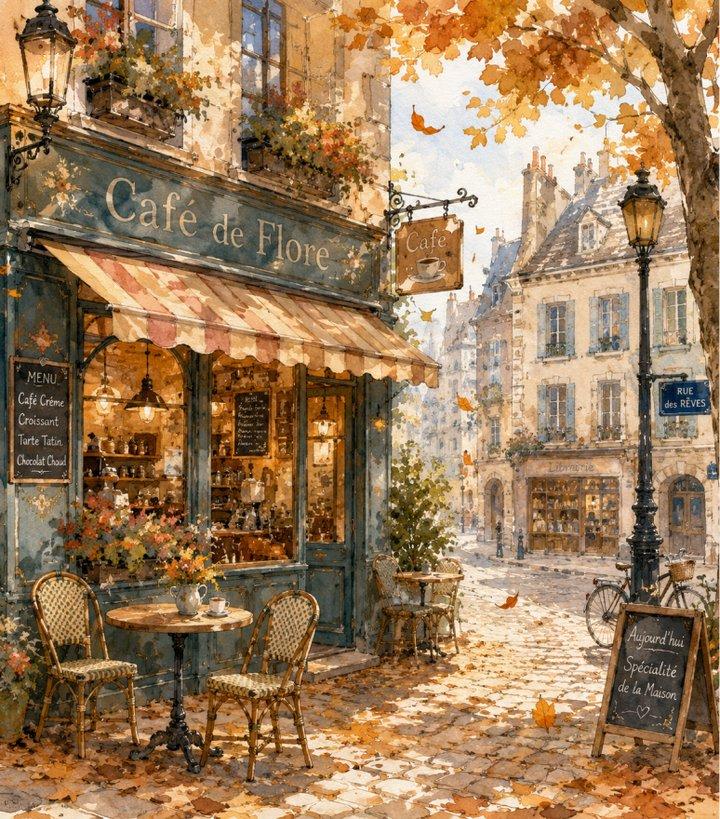
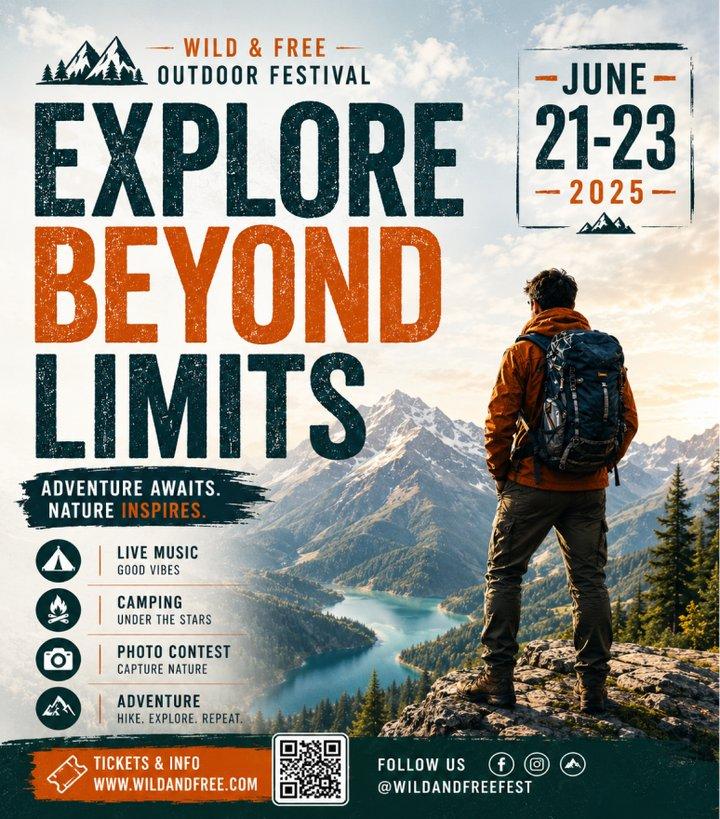
  • Mahusay na Typography at Layout Control: Pinapahusay ng ChatGPT Images 2.0 ang text rendering para sa posters, ads, packaging, UI concepts, at branded graphics. Mas maaasahan nitong hinahandle ang multi-line typography, spacing, punctuation, at layout composition, kaya kapaki-pakinabang ito sa creative work na nangangailangan ng nababasang visual text.
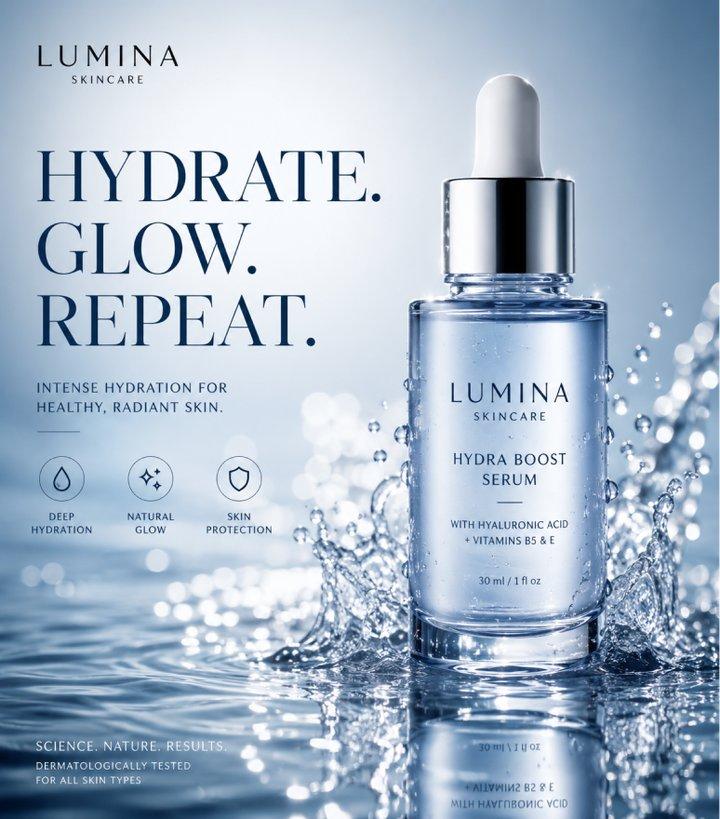
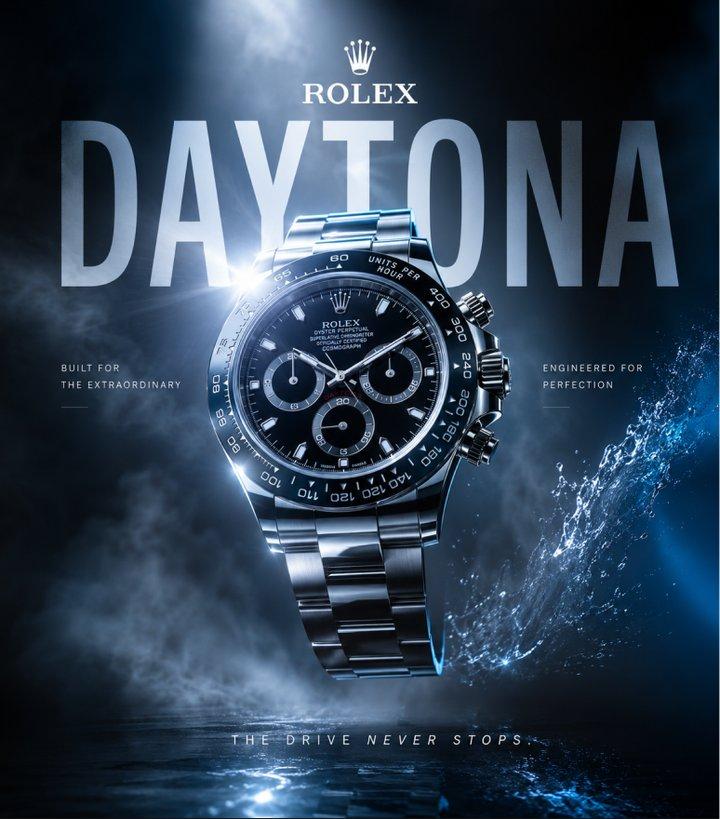
  • Mataas na Kalidad na Biswal na Pagbuo: Ginawa para sa professional content workflows, kayang gumawa ng ChatGPT Images 2.0 ng detalyadong visuals na may realistic lighting, refined textures, matalas na detalye, at polished color balance. Kapaki-pakinabang ito para sa product marketing, campaign concepts, at social media assets na nangangailangan ng finished creative direction.
  • Mahusay na Prompt Understanding: Sinusunod ng ChatGPT Images 2.0 ang detalyadong prompts na may maraming subject, layered environments, camera directions, outfit descriptions, lighting conditions, at artistic styles. Napapahusay nito ang scene coherence at object relationships para makamit ng creators ang partikular na visual direction sa mas kaunting iterations.
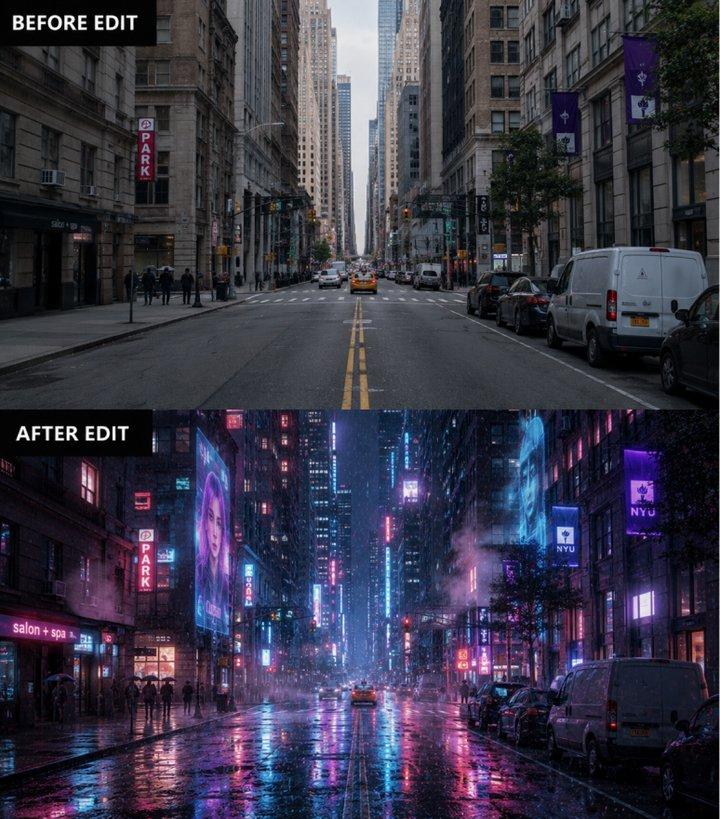
  • Image Editing at Iteration: Supported ng model ang image editing workflows gaya ng object replacement, localized regeneration, background refinement, at style-preserving adjustments. Maaaring mag-blend ang edited areas sa original image kapag maingat na ginabayan ang lighting, shadows, textures, at perspective.
  1. Piliin ang Model: Pumunta sa Collart AI image generator at piliin ang GPT Image 2.0 sa model dropdown menu.
  2. Ilagay ang mga Detalye: Ilarawan ang image na gusto mong gawin at i-configure ang customization settings mo.
  3. Gawin ang Iyong Image: I-click ang 'Generate' at maghintay lang ng ilang segundo para ma-download ang image mo.
Pinapagana ng ChatGPT Images 2.0 ng OpenAI

ChatGPT Images 2.0 AI Image Generator

Gumagawa ang ChatGPT Images 2.0 ng OpenAI ng high-quality visuals na may mas mahusay na typography, detalyadong rendering, at maaasahang prompt following. Mula posters hanggang product shots, mabilis na gumawa ng polished images.

Subukan Ngayon

Bakit Naiiba ang ChatGPT Images 2.0

01 / Layout at Type

Mahusay na Typography at Layout Control

Gumagawa ng posters, labels, at UI mockups na may malinaw na text at balanseng visual layouts.

02 / Resolution • Lighting

Mataas na Kalidad na Biswal na Pagbuo

Gumagawa ng detalyadong visuals na may realistic lighting, matalas na structure, at polished color.

03 / Reasoning

Mahusay na Prompt Understanding

Sinusunod ang detalyadong prompts para sa subjects, style, camera, lighting, at scene details.

04 / Edit at Refine

Image Editing at Iteration

Supported ang local edits, object changes, at refinements na may natural-looking results.

05 / Multi-Style

Flexible na Pagbuo sa Maraming Estilo

Umaangkop sa photo, anime, illustration, concept art, product, at brand visuals.

Mahusay na Typography at Layout Control

Pinapahusay ng ChatGPT Images 2.0 ang text rendering para sa posters, ads, packaging, UI concepts, at branded graphics. Mas maaasahan nitong hinahandle ang multi-line typography, spacing, punctuation, at layout composition, kaya kapaki-pakinabang ito sa creative work na nangangailangan ng nababasang visual text.

Mataas na Kalidad na Biswal na Pagbuo

Ginawa para sa professional content workflows, kayang gumawa ng ChatGPT Images 2.0 ng detalyadong visuals na may realistic lighting, refined textures, matalas na detalye, at polished color balance. Kapaki-pakinabang ito para sa product marketing, campaign concepts, at social media assets na nangangailangan ng finished creative direction.
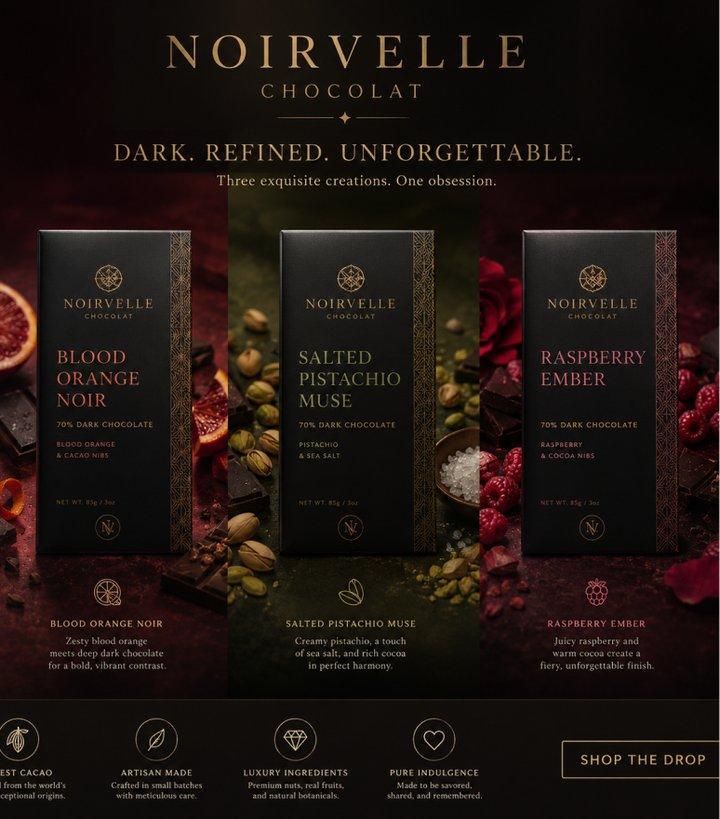
Mahusay na Prompt Understanding

Sinusunod ng ChatGPT Images 2.0 ang detalyadong prompts na may maraming subject, layered environments, camera directions, outfit descriptions, lighting conditions, at artistic styles. Napapahusay nito ang scene coherence at object relationships para makamit ng creators ang partikular na visual direction sa mas kaunting iterations.
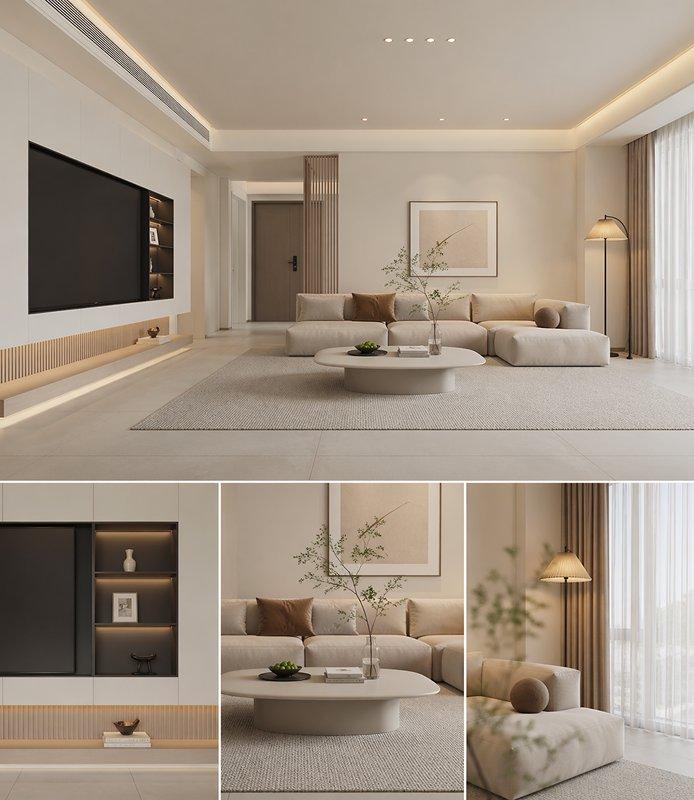
Prompt: Gumawa ng set ng minimalist living room design images. Ipinapakita ng nasa itaas na image ang overall design effect, at pinagdudugtong ang tatlong mas maliit na image sa ibaba para ipakita ang mga detalye.

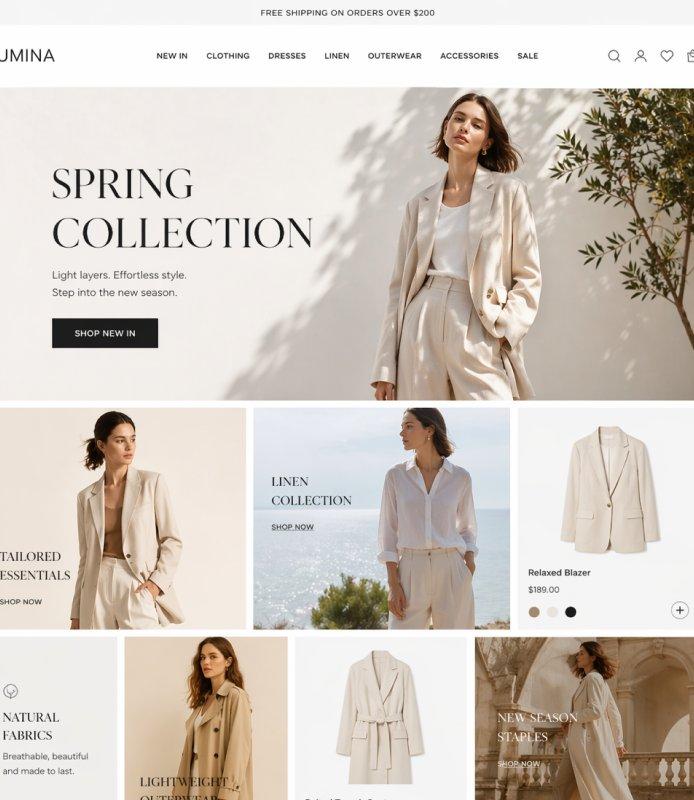
Prompt: Gumawa ng moderno at stylish na e-commerce website interface image, gamit ang simpleng multi-grid layout at waterfall typography para ipakita ang iba't ibang spring women's clothing, kabilang ang blazers, coats, at linen items. Susundan ang kapansin-pansing banner ads ng asymmetrical product modules para lumikha ng transparent lighting effect. Gumamit ng maliwanag at professional studio at outdoor photography para ipakita ang high-end UI/UX design aesthetics.

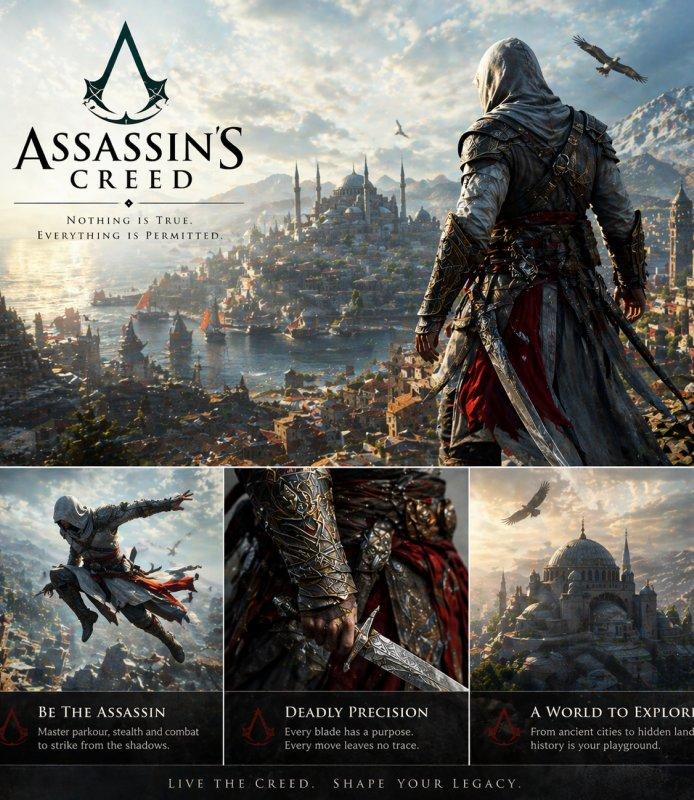
Prompt: Gumawa ng set ng Assassin's Creed images. Ipinapakita ng nasa itaas na image ang overall style, habang pinagdudugtong ang tatlong mas maliit na image sa ibaba para ipakita ang partikular na detalye.

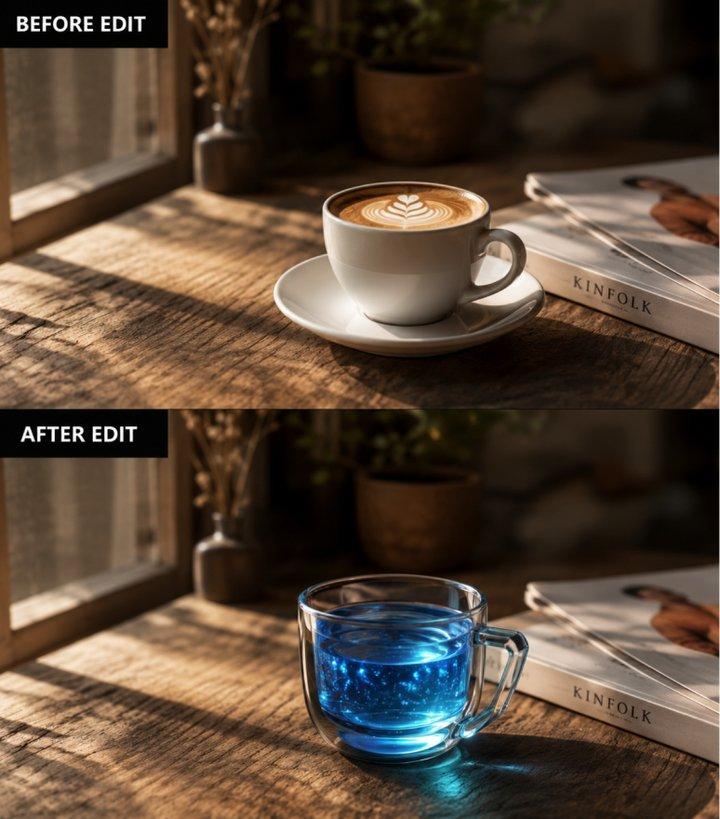
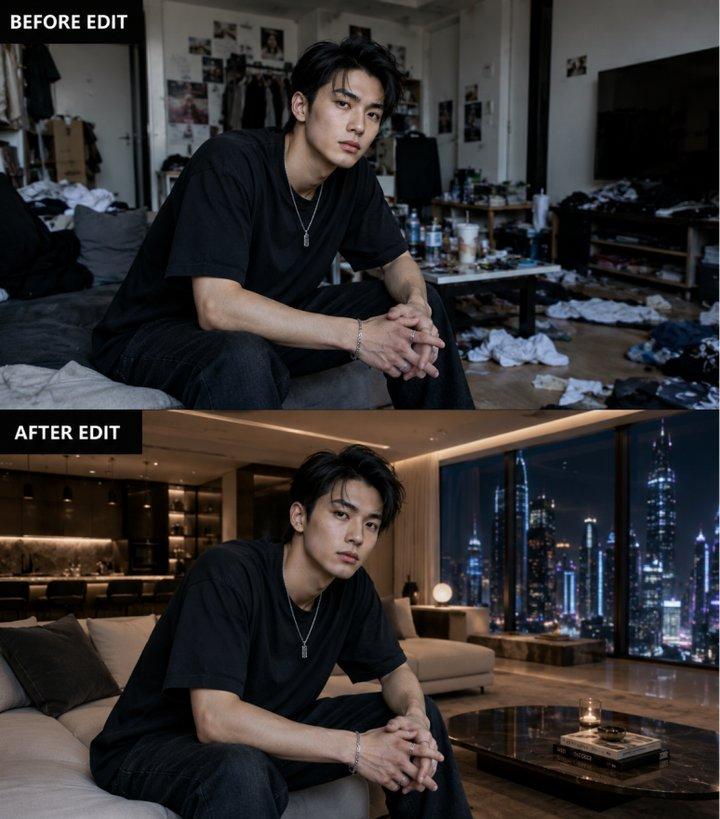
Image Editing at Iteration

Supported ng model ang image editing workflows gaya ng object replacement, localized regeneration, background refinement, at style-preserving adjustments. Maaaring mag-blend ang edited areas sa original image kapag maingat na ginabayan ang lighting, shadows, textures, at perspective.
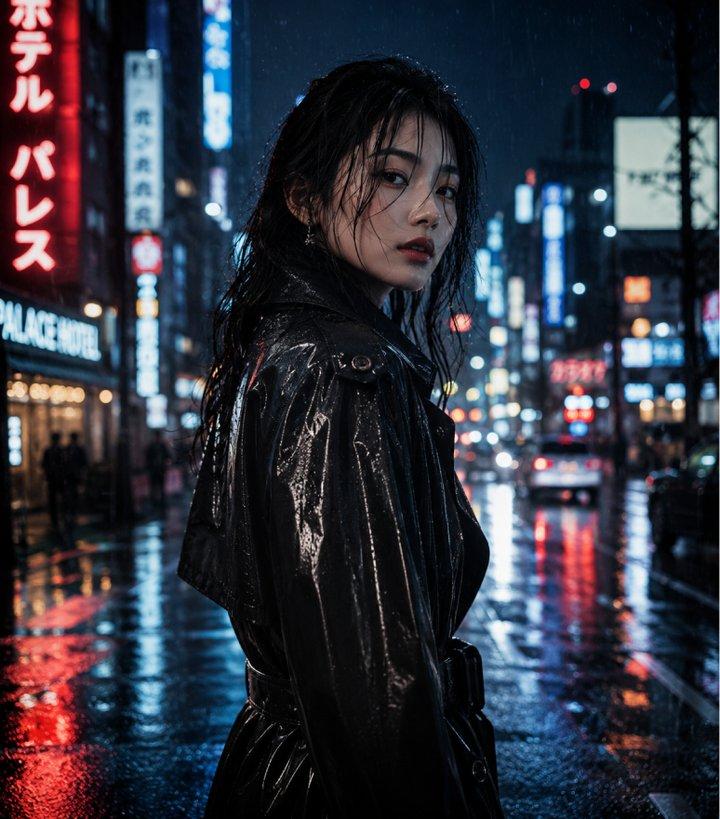
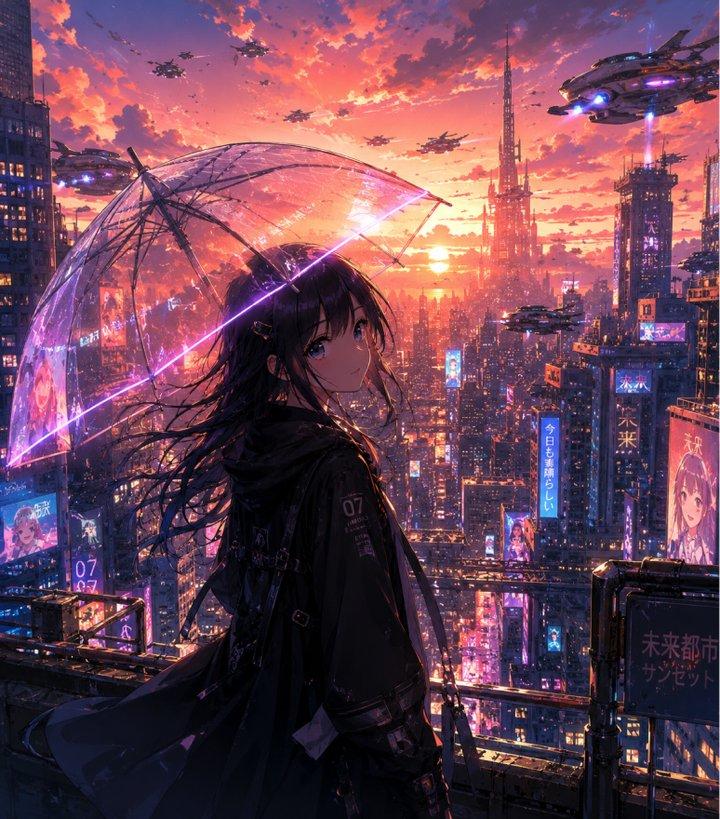
Flexible na Pagbuo sa Maraming Estilo

Mula photorealistic portraits at cinematic scenes hanggang anime, illustration, concept art, at product photography, kayang umangkop ng ChatGPT Images 2.0 sa iba't ibang visual style. Kapaki-pakinabang ang flexibility na ito para sa branding, entertainment, marketing, storytelling, at creative exploration.
Target Audience at Creative Applications ng ChatGPT Images 2.0

Kapaki-pakinabang ang ChatGPT Images 2.0 para sa creators, businesses, at teams na nangangailangan ng mabilis at high-quality visual production sa iba't ibang industriya:

01

Marketing Teams at Brand Studios

Gumawa ng campaign visuals, social ads, banners, at posters na may polished at brand-ready layouts.

Mga social adBannersPosters

02

UI/UX Designers at Digital Product Teams

Tuklasin ang interfaces, landing pages, app screens, at product visuals para sa mas mabilis na prototyping.

Mga konsepto ng UILandingScreen ng AppStoryboards

03

Content Creators at Media Publishers

Gumawa ng thumbnails, editorial art, blog graphics, presentations, at story visuals.

EditorialBooksMagazinePresentation

04

E-Commerce Brands at Online Sellers

Gumawa ng product shots, packaging mockups, labels, at storefront visuals nang walang studio shoot.

Mga product shotPackagingLifestyleLabels

05

Educators, Analysts at Researchers

Gumawa ng educational graphics, diagrams, research visuals, at nababasang annotations.

DiagramsChartsAnnotations

06

Game, Film at Entertainment Creators

Bumuo ng character concepts, cinematic environments, key art, at stylized assets.

CharactersEnvironmentsKey artWorlds

Paghahambing ng Model

ChatGPT Images 2.0 vs. Midjourney vs. Nano Banana

Aspeto
ChatGPT Images 2.0
Midjourney
Nano Banana
Arkitektura ng Model
OpenAI image model para sa generation, editing, at prompt control.
Art-focused image model para sa stylized visual exploration.
Google image model para sa prompt-to-image at image editing.
Maximum Resolution
Nakadepende ang resolution sa platform, size, at quality settings.
Nag-iiba ang resolution ayon sa plan, ratio, at output settings.
Nag-iiba ang resolution ayon sa platform at output settings.
Mga Aspect Ratio
Supported ang karaniwang aspect ratios depende sa product settings.
Supported ang flexible ratios para sa cinematic compositions.
Supported ang karaniwang social, design, at document-friendly formats.
Bilis ng Generation
Dinisenyo para sa mabilis na iteration at high-quality output.
Nag-iiba ang bilis ayon sa mode, queue, at output detail.
Nag-iiba ang bilis ayon sa platform, mode, at request complexity.
Mga Wika sa Text Rendering
Mahusay sa maikling text rendering; suriin ang final text bago gamitin.
Nag-iiba ang text accuracy, lalo na sa mas mahabang copy.
Mahusay sa structured text; suriin ang final text bago gamitin.

Paano Gamitin ang ChatGPT Images 2.0 sa Collart

Step 1

Piliin ang Model

Pumunta sa Collart AI image generator at piliin ang GPT Image 2.0 sa model dropdown menu.

Step 2

Ilagay ang mga Detalye

Ilarawan ang image na gusto mong gawin at i-configure ang customization settings mo.

Step 3

Gawin ang Iyong Image

I-click ang 'Generate' at maghintay lang ng ilang segundo para ma-download ang image mo.

Mga Madalas Itanong

Gawing Kamangha-manghang Visuals ang Iyong mga Ideya

Subukan Ngayon