힌트:

주제, 스타일, 분위기, 색상, 세부 정보를 포함하여 보고 싶은 것을 설명해 주세요.

0/1500
크레딧 상세 정보: 30
1

이미지에서 영상

Kling
Minimax
Wan
PixVerse
Grok

Collart의 이미지 투 비디오 생성기로 동작 프롬프트를 입력해 사진을 움직여 보세요. 영상 모델을 선택하고 사용 가능한 설정을 조정한 뒤, 다운로드 전에 결과를 미리 확인하세요. 인물 사진, 제품 사진 또는 풍경 사진으로 시작할 수 있습니다.

핵심 기능

이미지 투 비디오로 정지 사진을 짧은 영상으로 만들어 보세요. 피사체가 어떻게 움직이고 카메라가 어떻게 따라가야 하는지 설명한 뒤 생성된 애니메이션을 확인하세요.

이미지 투 비디오 사용 방법

  1. 이미지 업로드

    선명한 JPG 또는 PNG로 이미지 투 비디오 작업을 시작하세요. 주요 피사체가 잘 보이도록 하고 원하는 움직임을 위한 공간을 충분히 남겨 두세요.

    이미지 업로드
  2. 동작 설명 및 생성

    이미지 투 비디오 프롬프트에 피사체의 동작과 카메라 움직임을 설명하세요. 모델을 선택한 뒤 해당 모델에서 제공하는 길이와 해상도를 설정하세요. 이미지 투 비디오 생성을 시작하기 전에 표시된 크레딧 비용을 확인하세요. 대기 시간은 모델과 대기열에 따라 달라지므로 제출 전에 설정을 다시 확인하세요.

    동작 설명 및 생성
  3. 확인 후 다운로드

    이미지 투 비디오 결과를 처음부터 끝까지 재생하세요. 얼굴, 손, 제품 세부 사항과 카메라 움직임을 확인한 뒤 만족스러우면 영상을 다운로드하세요.

    확인 후 다운로드

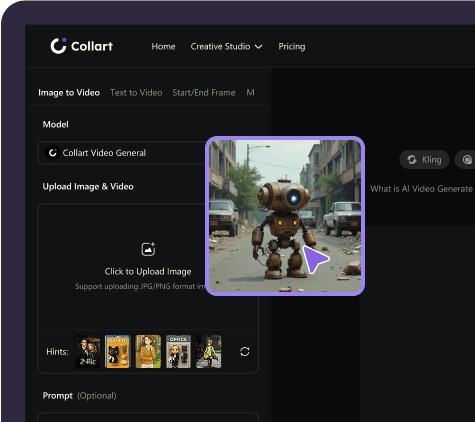
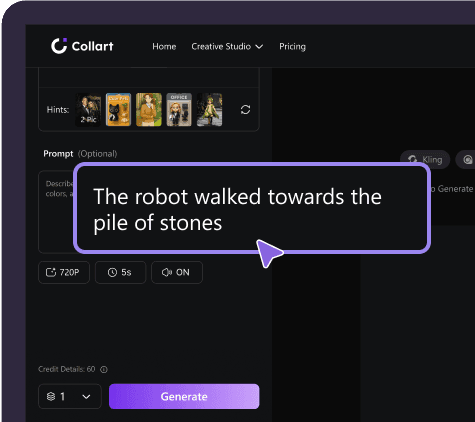
사용 화면 예시입니다. 현재 모델, 옵션 및 크레딧 비용은 편집기에서 확인하세요.

실제 이미지 투 비디오 사례

전신 회전, 제품 주변의 물보라, 해안 바위 아치를 통과하는 비행을 보여 주는 세 가지 이미지 투 비디오 사례를 비교해 보세요. 원본 이미지와 결과를 나란히 보고 원래 동작 프롬프트도 펼쳐 보세요.

인물: 전신 회전과 치맛자락

전신 사진이 춤추는 영상으로 바뀝니다. 인물이 앞으로 걸어 나와 회전하면 치맛자락이 넓게 퍼졌다가 자연스럽게 내려옵니다. 카메라는 전신을 담으며 움직임을 따라갑니다. 원본 이미지에 동작을 위한 여유 공간을 두고, 생성 후 얼굴과 발, 의상의 변화를 확인하세요.
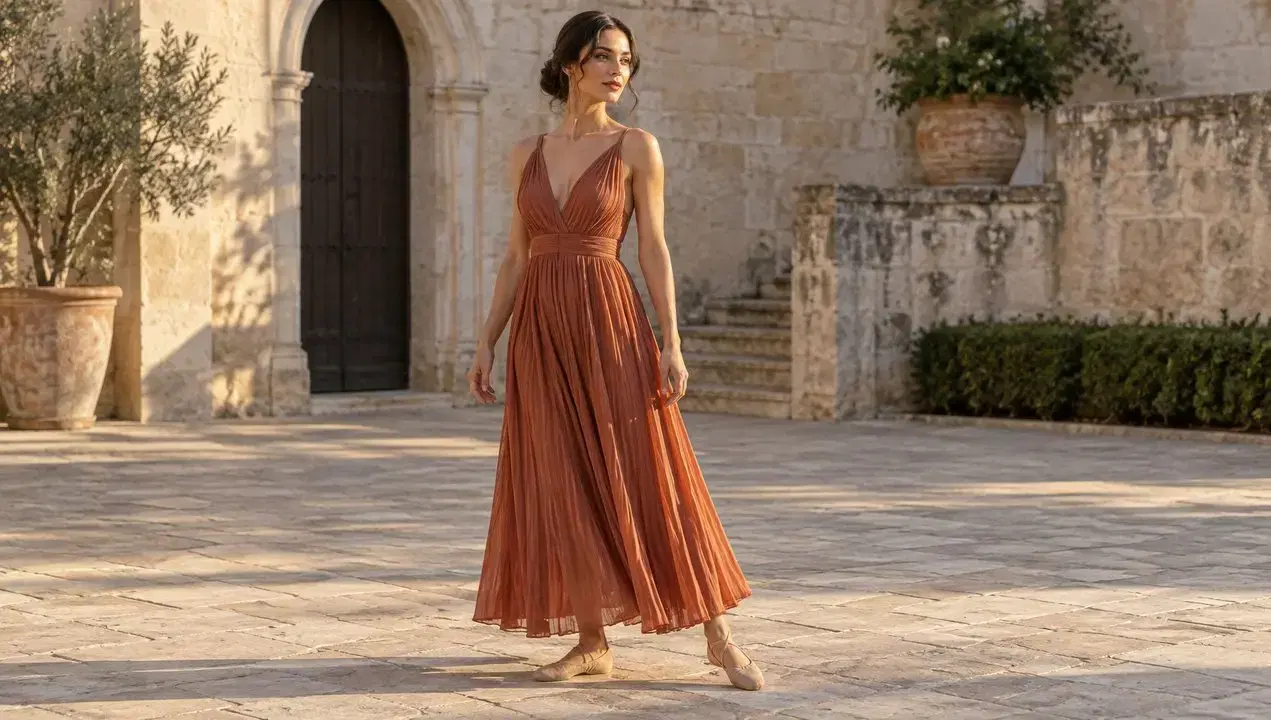
원본 이미지
인물: 전신 회전과 치맛자락 — 원본 이미지
생성된 영상
원본 프롬프트(영어)

Animate the supplied image into one continuous eight-second fashion dance shot. Keep the same adult woman, dress, courtyard and lighting. During seconds 0–2 she takes two confident steps forward and opens her arms outward below shoulder height. During seconds 2–6 she performs one complete, clearly readable full-body turn, with the pleated skirt opening into a broad flowing shape and the dress fabric following her momentum. During seconds 6–8 she finishes with a balanced step, faces the camera, and lets the fabric settle naturally. Show believable weight transfer and feet contacting the ground. Keep her entire body in frame. The camera tracks slightly backward to preserve headroom and full-body framing, following with a smooth modest arc, without cuts or zoom jumps. Native audio: light footsteps and fabric swishes timed to the movement, quiet courtyard ambience, no speech or music. Preserve her appearance and garment construction; no extra people or limbs.
제품: 물보라로 더하는 움직임

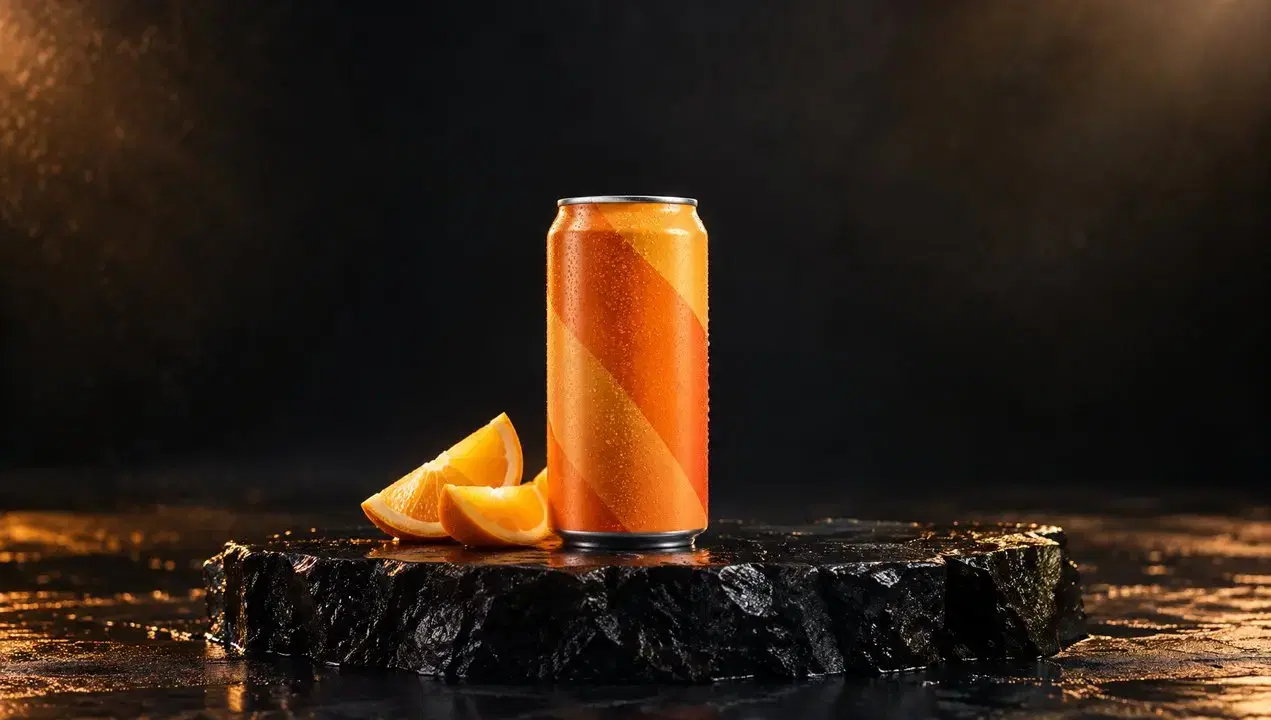
주황색 음료 캔 주변으로 물이 튀어 오르고, 물방울이 젖은 받침대에 떨어지며 잦아듭니다. 캔을 시선의 중심에 두면서 물보라가 영상에 생동감을 더합니다. 상품 사진을 영상으로 만들 때는 주요 동작 하나를 설명하고, 게시 전에 포장과 윤곽, 물의 움직임을 확인하세요.

원본 이미지
제품: 물보라로 더하는 움직임 — 원본 이미지
생성된 영상
원본 프롬프트(영어)

Create one continuous eight-second premium beverage commercial from the supplied image. Keep the exact can shape, orange geometric packaging, upright position and supporting surface. A broad sheet of clear water enters from behind the can during seconds 0–2. During seconds 2–5 it sweeps in one dramatic curved splash behind and around the lower sides of the can; bright droplets separate and fall under gravity. Keep the front of the product readable and its outline visible. During seconds 5–8 the remaining droplets land on the wet plinth and the water settles. The camera makes one smooth approximately sixty-degree orbit and finishes slightly closer to the product. The can stays planted; the orange wedges remain in place. Native synchronized splash and falling-droplet sounds, no speech or music. No cuts, no additional cans, no morphing packaging, no generated text.

풍경: 해안을 가로지르는 비행

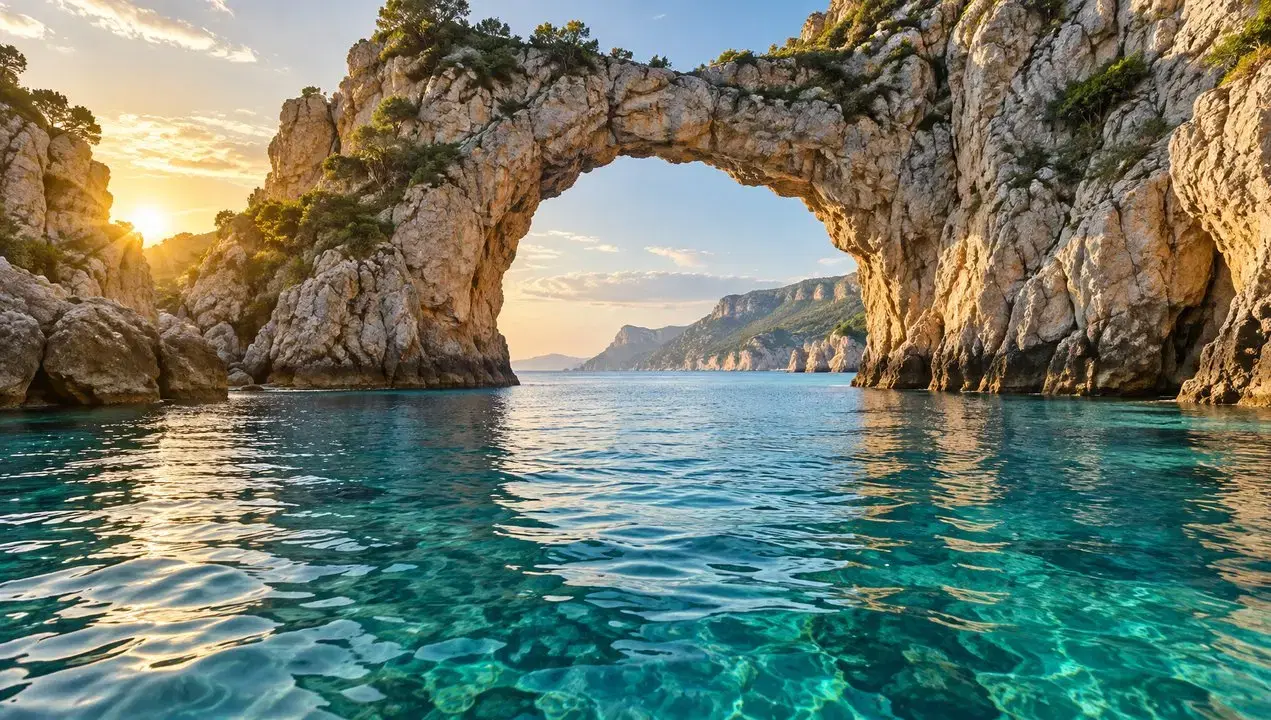
카메라가 수면 가까이 전진해 바위 아치를 통과한 뒤 더 넓은 해안 풍경을 보여 줍니다. 앞쪽 바위가 렌즈 옆을 지나가며 정지된 풍경이 공간을 여행하는 영상으로 바뀝니다. 이동 경로와 원근감이 뚜렷한 이미지를 고르고 장면이 자연스럽게 이어지는지 확인하세요.

원본 이미지
풍경: 해안을 가로지르는 비행 — 원본 이미지
생성된 영상
원본 프롬프트(영어)

Animate the supplied landscape into one continuous eight-second cinematic FPV-style camera journey. Start at the exact viewpoint of the image. During seconds 0–2 accelerate forward just above the water, with ripples moving quickly beneath the camera. During seconds 2–5 fly smoothly through the open natural rock arch, showing strong parallax as the rock edges pass on both sides. During seconds 5–8 gently bank right and rise to reveal the open bay already visible beyond the arch, easing the speed near the end. Preserve the geography and proportions of the arch and coastline throughout. Natural water movement and warm sunlight. Native audio: wind building with speed and soft sea ambience. No cuts, no teleportation, no scene morphing, no drone visible, no speech or music.

더 많은 창의적인 효과

이미지 투 비디오 생성을 위한 이미지 선택

  • 피사체 전체를 담으세요

    움직임이 큰 이미지 투 비디오 장면에서는 얼굴, 손, 동물의 발과 제품 가장자리가 프레임 안에 있도록 구성하세요. 회전하거나 한 걸음 내딛을 수 있도록 피사체 주변에 공간을 남겨 두세요.

  • 피사체와 배경을 구분하세요

    이미지 투 비디오 생성은 사진 속 세부 정보에서 시작됩니다. 피사체가 뚜렷한 선명한 이미지를 선택하세요. 심한 흐림, 겹친 사물이나 복잡한 배경은 원하는 움직임을 설명하기 어렵게 만들 수 있습니다.

  • 사용 목적에 맞게 구성하세요

    세로형 소셜 영상이나 가로형 제품 소개 등 최종 용도에 맞춰 이미지 투 비디오의 자르기 범위를 계획하세요. 중요한 세부 정보는 가장자리에서 떨어뜨리고 카메라 움직임을 위한 공간을 확보하세요.

Collart를 선택하는 이유

Collart에서는 하나의 작업 공간에서 이미지 투 비디오 생성과 미리보기를 진행할 수 있습니다. 이미지를 업로드하고 움직임을 설명한 뒤 결과를 확인하여 프롬프트를 수정할지 영상을 다운로드할지 결정하세요.

직접 설정

선택한 모델에서 제공하는 영상 길이와 해상도 옵션을 설정하세요.

AI 기반

프롬프트로 움직임을 제어해 이미지를 영화 같은 영상으로 변환하세요.

영향

제품 소개와 소셜 미디어 게시물에 사용할 짧은 영상을 만드세요.

Collart AI 템플릿에서 더 많은 영감 발견

Helicopter
NO BATIDAO
Chanel Dance
Baby Dance
Cartoon Pet
Tender Embrace
Cat Love
Luxury Hotel
Private Moments
Love on Film
Aqua Flex
Urban Pup
더 보기

Collart AI의 전체 잠재력을 발휘하세요

이미지에서 영상
텍스트에서 영상
시작/종료 프레임
Motion Sync
텍스트에서 이미지
이미지에서 이미지

자주 묻는 질문

아이디어를 인상적인 비주얼로 바꾸세요

지금 사용해 보기
AI 이미지 동영상 생성기 | 사진에 움직임 더하기 | Collart