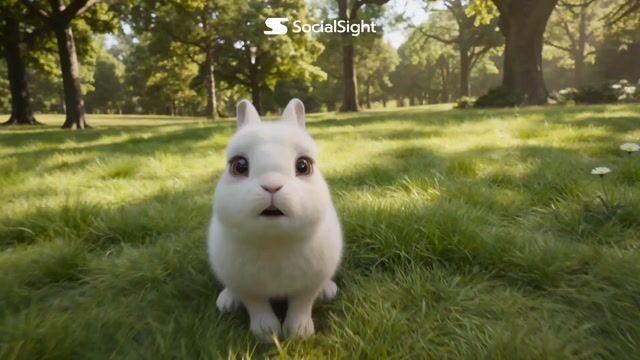
Found-Footage Talking Rabbits
Beschrijving
A creative found-footage style 3D animation prompt for Seedance 2.0 featuring rabbits behaving as if they are recording social media content, with specific dialogue scenes and audio instructions.
Volledige prompt
3D animated film style, ultra high quality, cinematic lighting, global illumination, soft shadows, depth of field, ultra detailed fur, cute characters, smooth animation, natural lighting, handheld camera feel, found-footage comedy style, realistic camera movement, playful atmosphere Scene: A group of fluffy forest rabbits stand in a bright forest clearing. The rabbits look directly into the viewer as if they are recording themselves. The camera is never visible at any time.
The video feels like discovered footage recorded by the rabbits themselves. Characters: 4–5 cute fluffy forest rabbits, different sizes, expressive faces, soft fur, playful personalities Action Timeline Scene 1 Rabbits appear close to frame, looking directly at the viewer. Bunny 1 (curious): "Is this thing recording?!" Scene 2 Another rabbit gently pushes forward. Bunny 2 (excited): "Move! I'm the main character!" Scene 3 Another rabbit leans in. Bunny 3 (very excited): "Hello internet!!!"
Scene 4 Another rabbit tries to squeeze into frame. Bunny 4: "Wait… I want to be famous too!" Scene 5 Rabbits gently push each other, trying to move to the front. They all look directly at the viewer. Cute, playful chaos. Bunny 2 (laughing): "Hey! Give me space!" Bunny 3: "No, me first!" All rabbits softly giggle and continue gently pushing. Scene 6 (Ending) One calm rabbit steps slightly forward. Bunny 5 (calm, smart bunny): "No… they'll probably Follow to Oogie' on X."
All rabbits suddenly pause. They slowly turn and look directly at the viewer together. Short silence. Then all rabbits smile at the same time. Camera: POV camera, direct-to-camera talking, handheld feel, gentle natural movement, close-ups, cute framing, camera never visible, no camera falling, stable handheld Audio: Cute bunny voices, soft wind, forest ambience, light giggles, gentle movement sounds Mood: Cute, funny, wholesome, viral-style social media content
Ultra detailed, cinematic lighting, 4K, smooth animation, soft fur, expressive animation, high quality rendering