Upload Video
Upload a main video.
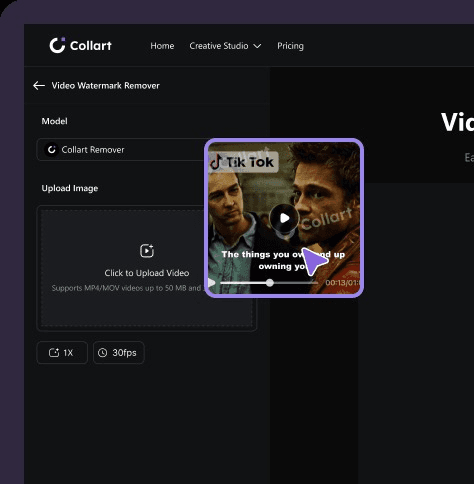
Easily remove watermarks, logos, and text from videos.

Upload a main video.
Automatically remove watermark elements from videos.

Save your video and share it anywhere in seconds.

Use Collart AI Video Watermark Remover to remove logos, text, timestamps, and unwanted watermarks from videos while keeping the footage clean and natural—ideal for repurposing social clips, product demos, and branded content.

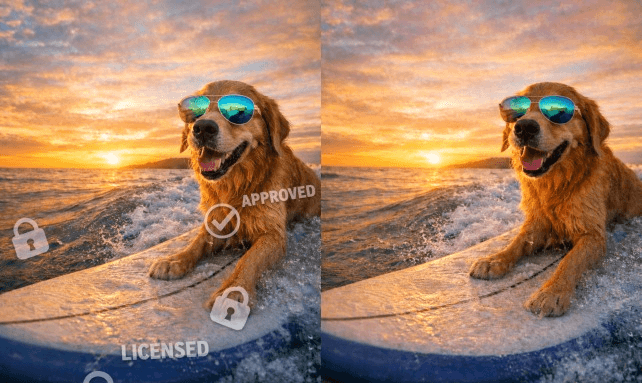


Collart AI video watermark remover is a tool that automatically detects and removes logos, text, and watermarks from videos while preserving the original video quality as much as possible.
Collart AI uses advanced AI to intelligently analyze video frames and remove watermarks smoothly, filling in missing details to maintain a clean and natural-looking video.
Yes, you can use it for free with limited credits during the trial. After using your free credits, an upgrade is required to continue processing videos.
No, everything runs online. You don’t need to install any software or use any special hardware—just upload your video and start editing.
Most videos are processed within seconds to a few minutes depending on length and resolution, making it fast and efficient.
Yes, our tool works on mobile, tablet, and desktop browsers, allowing you to remove watermarks anytime, anywhere.
Collart AI is designed to preserve video clarity and reconstruct missing details, though final quality may vary depending on watermark complexity and video resolution.
Yes, we use secure encryption and strict privacy policies to ensure your videos are protected and not shared with third parties.
Collart AI supports common formats such as MP4, MOV, and AVI. For best results, we recommend uploading high-quality source videos.